
Skip to contentStashiro 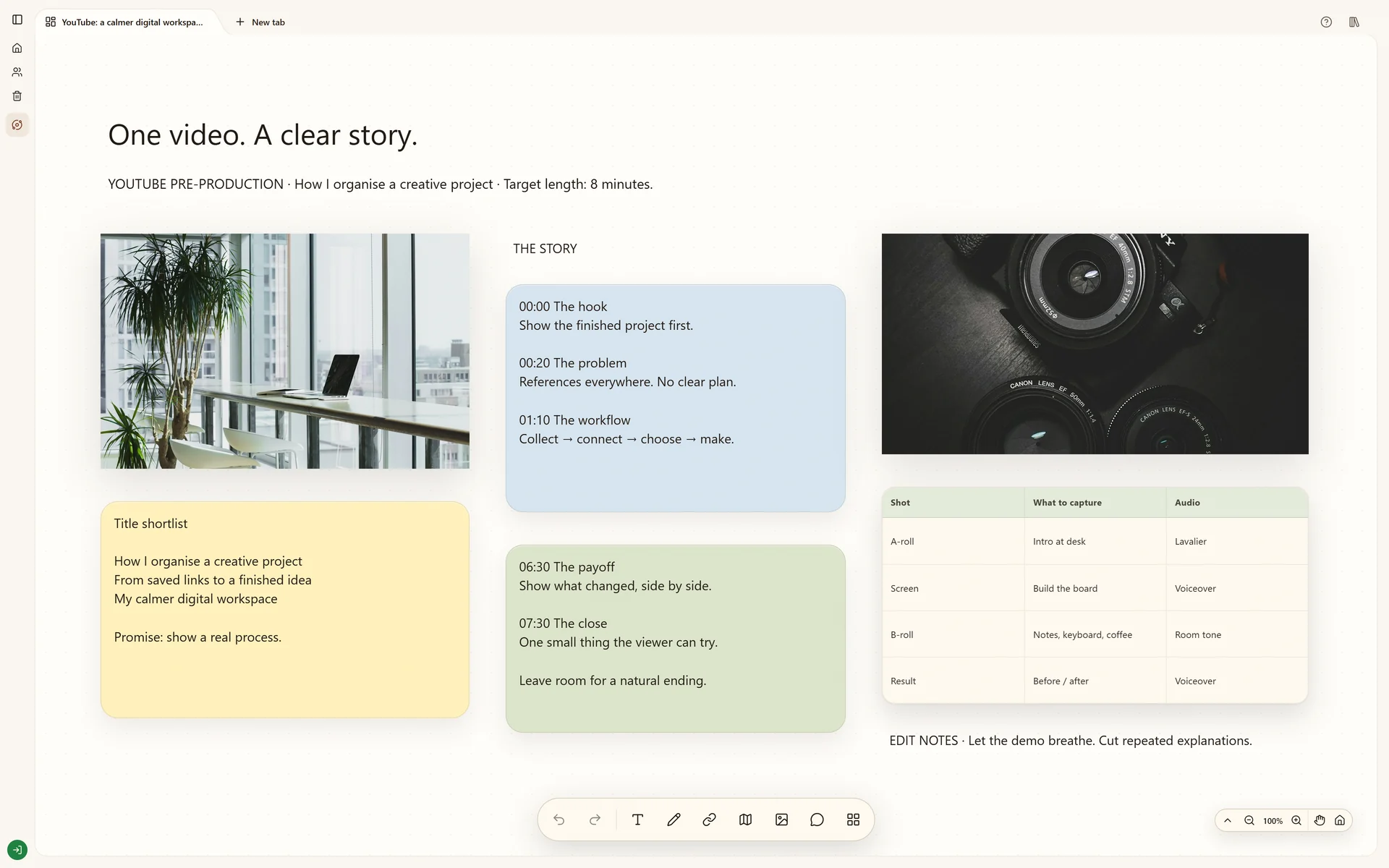 Explore From YouTube idea to shot list

Connected tools
Send it now. Find it with your project.
Send links, photos and audio from Telegram to Stashiro. Connect your account, capture from your phone and arrange saved material on your boards.
Connect TelegramFrom a saved thought to a useful board.
Connect Telegram from your Stashiro account. Send links, photos and audio to the linked bot, then place saved material from the board's saved links panel.
Cloud storage, collaboration, desktop access, the Chrome extension, Telegram and connected AI tools require a paid Stashiro account.
How it works
Connect from your account
In your Stashiro account, find Telegram saves and select Connect Telegram. This creates your account-specific connection command and, when available, a link that opens the configured bot.
Complete the connection in Telegram
Use the provided bot link or copy the generated command into the bot conversation. Use the identity shown in your account rather than searching for an unofficial bot. Generate a new command if the old one expires.
Send the material you want to keep
Send a web link, photo or audio message to the linked bot. Follow its replies to choose the destination when requested. Use the same linked Stashiro account on your computer.
Turn a saved item into part of the board
Open the board's saved links panel and place the captured material where it belongs. Add a note explaining why you kept it or connect it to another reference.
See it in a real board
Plan a YouTube video with a hook, research, script outline, visual references and shot list on a Stashiro board.
Explore From YouTube idea to shot listBefore you start
Do I need a separate Stashiro mobile app?
You can capture through Telegram on your phone and return to Stashiro in your browser or desktop app. The bot connection is created from your Stashiro account.
Can I disconnect the bot?
Yes. Open Telegram saves in your Stashiro account and choose Disconnect. You can create a new connection from the same section.
Is Telegram capture included in the local demo?
No. Telegram capture uses your paid cloud account. Uploaded media uses your account's available storage.