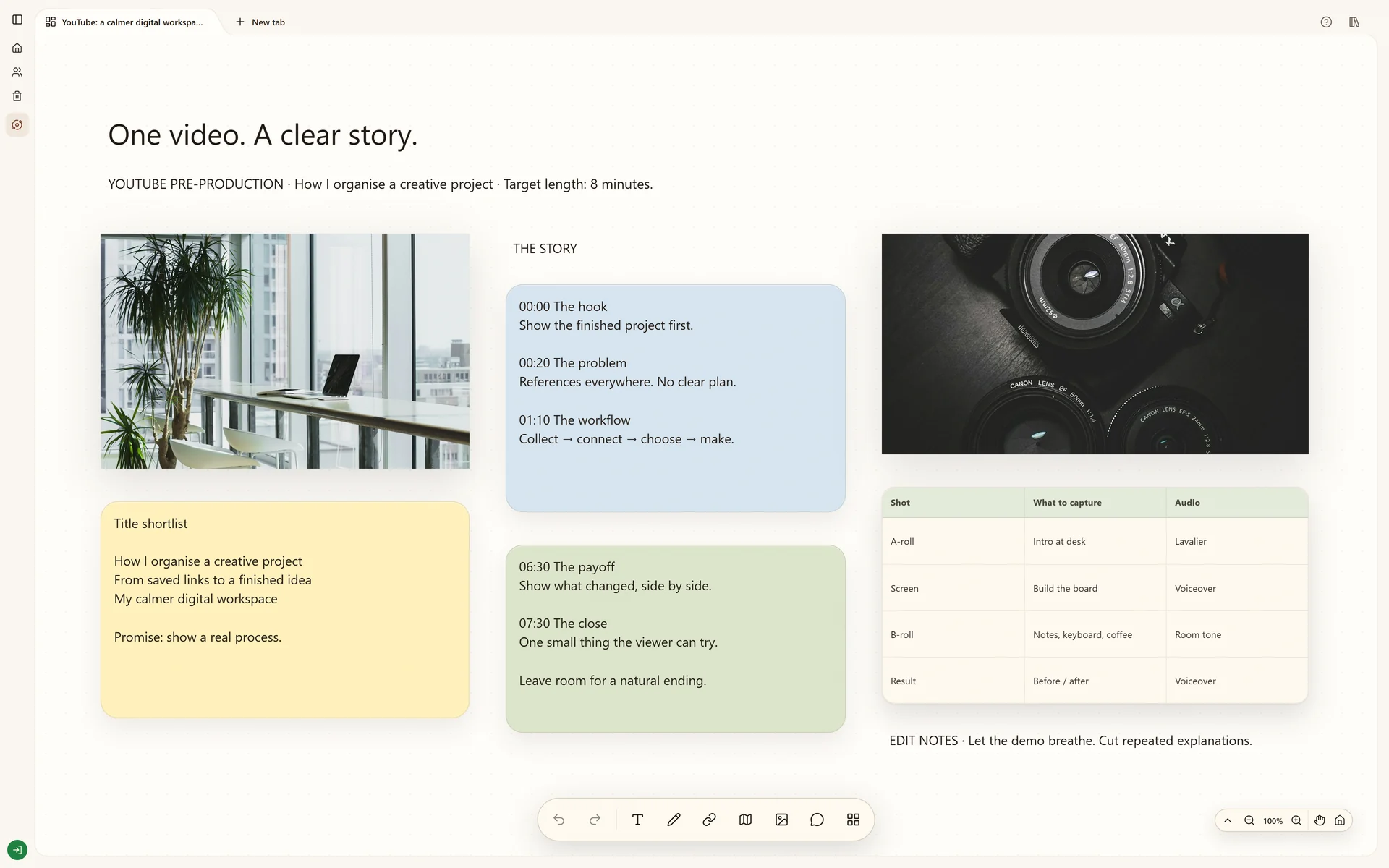
Plan a YouTube video with a hook, research, script outline, visual references and shot list on a Stashiro board.
Start your own boardThe real Stashiro interface with illustrative project data. Offers, prices, interviews and reporting leads shown are fictional examples.
Why this board works
A video becomes easier to make when the hook, evidence and visual treatment develop together. Use the board to connect the argument to the images you need, keeping inspiration separate from the shots you intend to capture.
The viewer's question
The video planning board connects a one-sentence promise to the research, outline and shots needed to deliver it. Begin with what the viewer should understand or be able to do, then judge each proposed section against that promise.
Criteria for video references
Keep a reference for its opening, framing, pace or explanation and write down that reason. Retain the original link. Inspiration from another video is separate from evidence for a factual claim and from the footage you are allowed to use.
From outline to shot list
Place a feasible visual beside each outline section, then list the recordings, props and locations it needs. The output is a production plan the creator can review before filming. Stashiro holds the context; editing and publishing the video happen in other tools.
Build your version
Start with the viewer's question
Write a one-sentence promise for the video. Collect reference videos and research links that help answer it, then note what each source contributes.
Turn the outline into images
Place a short script outline beside visual references. Use notes for the opening, main points and ending, and a table for shots or production requirements.
Prepare for the edit
Keep source links and practical notes beside the relevant section. Review the board with a collaborator before filming, then use it as context while organizing the edit.
Try local boards without an account. They stay in this browser until you explicitly transfer them to your cloud account. Cloud storage, collaboration, desktop access, the Chrome extension, Telegram and connected AI tools require a paid Stashiro account.
Start with an editable layout
Download a starter board with prompts and space for your own references. It is a starting layout, not a copy of the illustrated project. Open a Stashiro board, expand the Spaces sidebar and choose Import board to load the file as a new board. Local import works without an account; cloud import requires a paid account.