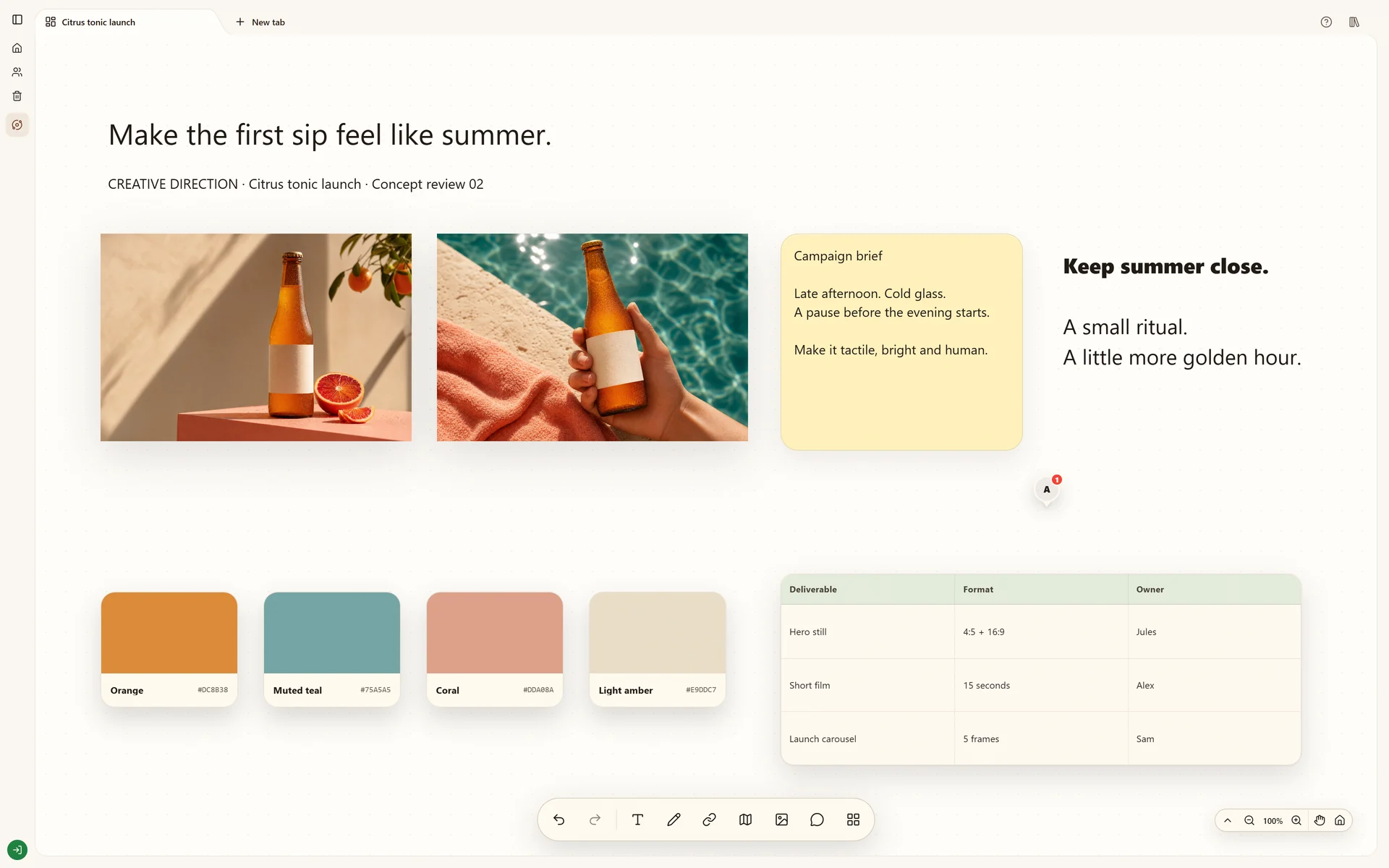
Keep design references beside the work they inform.
Use Stashiro as a visual bookmark manager for design references. Save web links, arrange previews beside notes and reuse selected sources in a project or ChatGPT.
A visual bookmark manager helps you recognize saved references by their preview. In Stashiro, you also choose where they belong: a packaging link beside a brand brief, a reference video beside a shot note, or an article beside the question it answers. The board keeps the reason for saving a link with the link itself.
The Chrome extension saves the current page to a selected cloud board. On supported sites, an in-page save control fits the site's interface; elsewhere, use the extension popup. Saves enter the board's queue so you can review and place them later. For a local board, paste a URL directly onto the canvas.
Organize around the question, not just the website
Group links by what they help you decide: packaging, type, photography or a competitor's onboarding. Add a short observation and keep the original URL. Supported links have previews such as video or product cards; other URLs use the available link preview. A preview helps you recognize the source, but it is not a permanent archive of the page.
Bring in material that was not a browser tab
The desktop clipboard app keeps copied text, links and images on Windows and Apple Silicon Macs. Send a useful copy to your board. Telegram can capture links, photos and audio through your connected account. Arrange these beside web references so the project is not split across separate collections.
Reuse the saved context
Open a source when writing the brief, connect it to an observation or discuss it on a shared cloud board. With the Stashiro app connected in ChatGPT, ask for the source links on a named board or save a selected summary back as a note. Check retrieved claims against the original pages and approve only the access your task needs.
Work through a project
Save design inspiration with its source, group references by the decision they support and keep a visual reference library you can reuse in the next project.
A bookmark library is useful for storing and filtering many links. Stashiro focuses on spatial project context: links sit beside your notes, images and decisions. Choose the workflow that fits whether you need a long-term catalog or a working project board.
Does Stashiro archive every page or search text inside images?
A saved link and its preview are not a guaranteed offline page archive. This workflow does not promise OCR, automatic tagging or full-text search of every saved website. Keep original source links and verify the content when you reuse it.
Can I save Pinterest and YouTube references?
You can save supported post and video links as references; supported links show their corresponding previews. Saving a link does not copy an entire Pinterest collection or give you rights to reuse another creator's content.
Which tools need a paid account?
The Chrome extension, desktop app, Telegram and connected AI tools use a paid Stashiro cloud account. The local browser demo supports manually creating boards and pasting source links without signing in.
Try local boards without an account. They stay in this browser until you explicitly transfer them to your cloud account. Cloud storage, collaboration, desktop access, the Chrome extension, Telegram and connected AI tools require a paid Stashiro account.