
Skip to contentStashiro 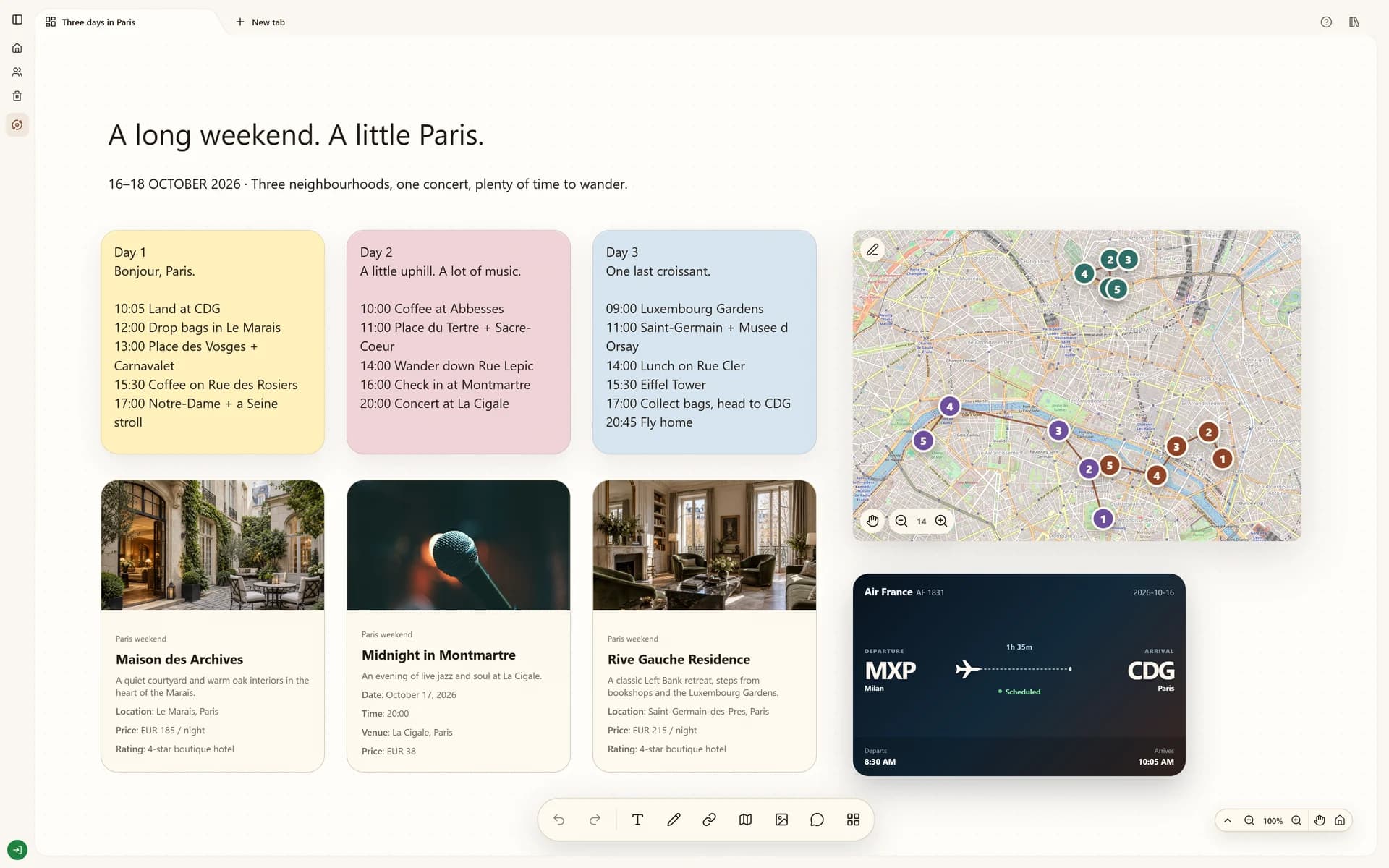 Explore Three days in Paris

Connected tools
Keep browsing. Keep what matters.
Save links to Stashiro without leaving the page. Use the Chrome extension to choose a board and collect web references ready to arrange.
Open your accountFrom a saved thought to a useful board.
The Stashiro Web Clipper brings a page into your project while you keep browsing. Choose its destination now and arrange it with the rest of your research when you are ready.
Cloud storage, collaboration, desktop access, the Chrome extension, Telegram and connected AI tools require a paid Stashiro account.
Add to ChromeHow it works
Install the official Web Clipper
Add Stashiro Web Clipper from the Chrome Web Store. Sign in to the Stashiro website with your paid account so the extension can access your cloud boards.
Pick a destination
Open the extension on the page you want to keep. Choose a board; the extension remembers your last choice so repeated saves need fewer clicks.
Save without changing tabs
Save the current page from the extension popup. Supported websites also have an in-page save control designed to fit that site's interface. The available placement depends on the website.
Arrange the saved references
Open the destination board's saved links panel and place the links on the canvas. Supported links receive their corresponding preview, such as a video, shopping product or travel card.
See it in a real board
Plan a trip on a visual board with daily notes, map routes, hotel options, flights and a concert ticket.
Explore Three days in ParisBefore you start
Does every website have an in-page button?
No. In-page controls are available on supported websites. Use the extension popup to save the active page when there is no in-page control.
Does saving place a card immediately?
Saved links enter the chosen board's queue. You decide where to place them on the canvas.
Can I use it with a local guest board?
The extension connects to your paid cloud account. Local guest boards are a separate browser demo.