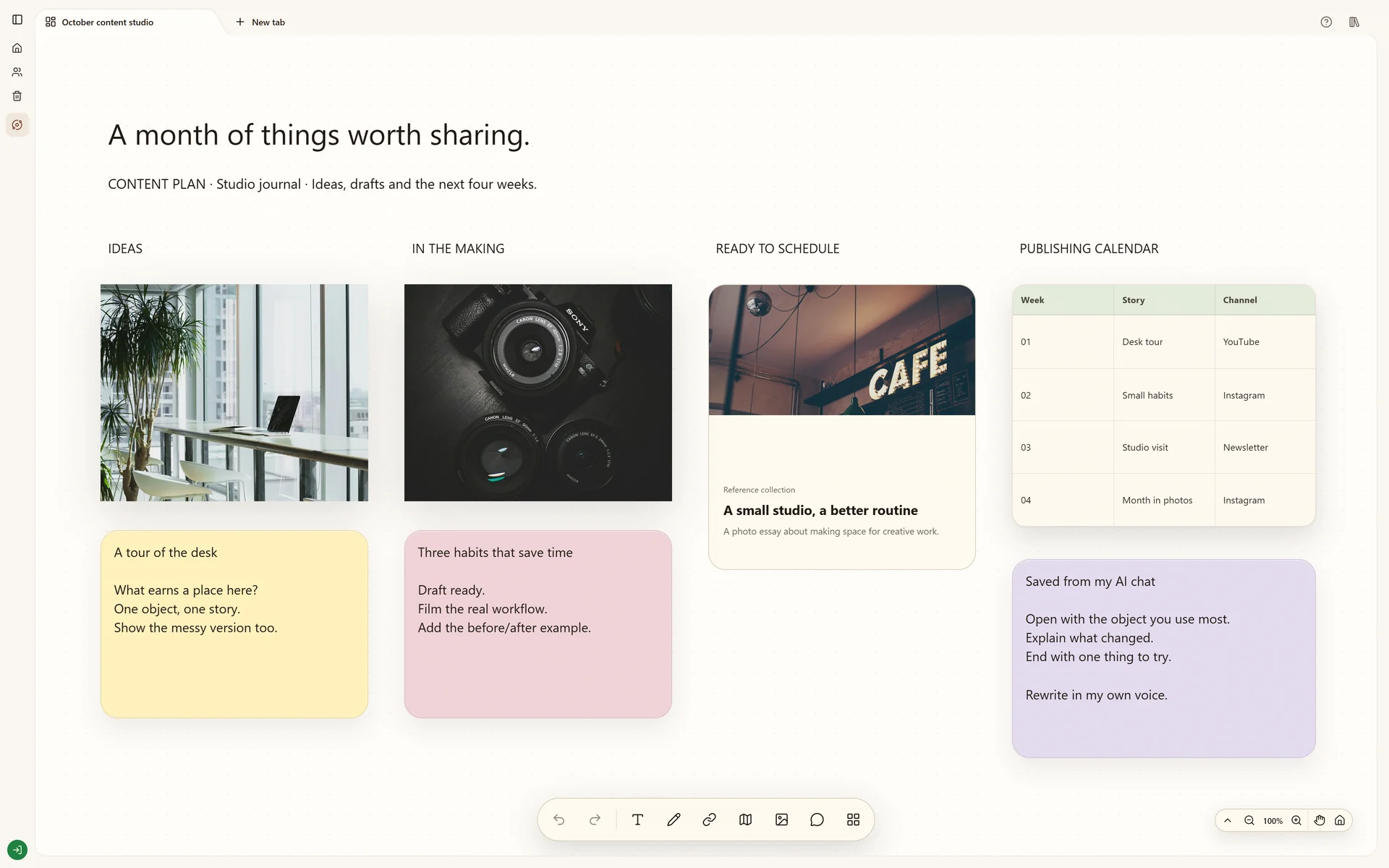
Organize content ideas, references and a publishing outline together in a visual workspace.
Start your own boardThe real Stashiro interface with illustrative project data. Offers, prices, interviews and reporting leads shown are fictional examples.
Why this board works
A publishing outline should keep the idea and the reason for posting it together. Use a board to develop themes, compare visual references and make a schedule understandable to the people producing the work.
The publishing question
Use the board to decide which audience questions deserve content and what material each idea needs. The illustrative calendar organizes the plan; it does not publish or schedule posts on social platforms.
Criteria for ideas and sources
Keep an idea when its audience, purpose and available source material are clear. Attach working copy, visual references and original links to the same idea. A date alone does not make an idea ready to publish.
A plan the team can act on
The review should distinguish ready drafts from ideas that still need research or assets. Record the proposed channel and date beside the relevant material. Publishing and checking the final post remain separate steps.
Build your version
Choose the themes
Create a short note for each theme and the audience question it answers. Save useful reference links as you browse.
Attach the working material
Arrange draft copy, visuals and sources around each idea. Use a table to organize proposed dates and channels if a calendar overview helps.
Review before publishing
Ask collaborators to comment on the relevant material. Treat the board as a planning workspace; publishing to social platforms remains a separate action.
Try local boards without an account. They stay in this browser until you explicitly transfer them to your cloud account. Cloud storage, collaboration, desktop access, the Chrome extension, Telegram and connected AI tools require a paid Stashiro account.
Collect material as you work
Send links, photos and audio from Telegram to Stashiro. Connect your account, capture from your phone and arrange saved material on your boards.