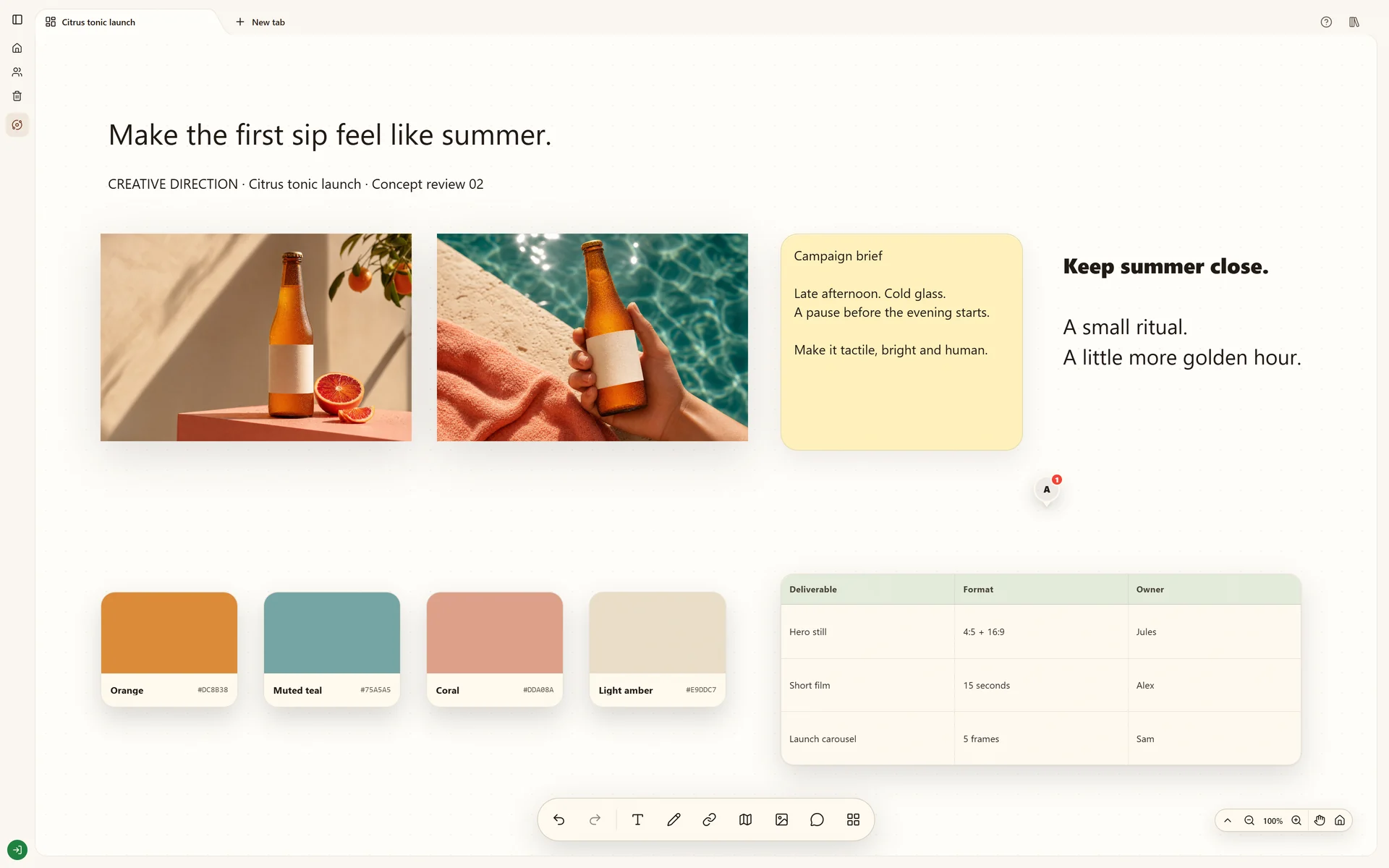
Develop a creative direction with a campaign brief, visual references, copy ideas and feedback on one board.
Start your own boardThe real Stashiro interface with illustrative project data. Offers, prices, interviews and reporting leads shown are fictional examples.
Why this board works
A creative direction needs more than a folder of attractive images. This fictional drinks campaign keeps the brief close to the references, so the team can explain which feeling, color or composition each image contributes.
The campaign question
For this illustrative citrus tonic campaign, the task is to agree on a visual direction before producing assets. Keep the product, intended audience and campaign message beside the references so the team can judge an image against the brief.
What makes a reference worth keeping
Choose references for a specific contribution: the treatment of the drink, the lighting, a color relationship or a type style. Keep source links and a note naming that contribution. A striking image that cannot explain a campaign choice belongs in the wider collection rather than the selected direction.
The decision the board should support
A review should produce a selected visual direction and a list of unresolved production questions. Preserve alternatives separately and record why the shortlist fits. The screenshot illustrates that reasoning process; it does not document a launched campaign or its results.
Build your version
Put the brief beside the inspiration
Write the audience, desired feeling and constraints in a short note. Gather a small set of images and links that answer that brief.
Connect references to decisions
Add notes for lighting, color and composition. Use connectors where a reference supports a specific treatment or headline, making the reasoning visible.
Review one direction
Bring comments into the board and keep the chosen direction together. Use sibling boards in the same Space for research and final assets when the project grows.
Try local boards without an account. They stay in this browser until you explicitly transfer them to your cloud account. Cloud storage, collaboration, desktop access, the Chrome extension, Telegram and connected AI tools require a paid Stashiro account.
Work through the process
Save design inspiration with its source, group references by the decision they support and keep a visual reference library you can reuse in the next project.