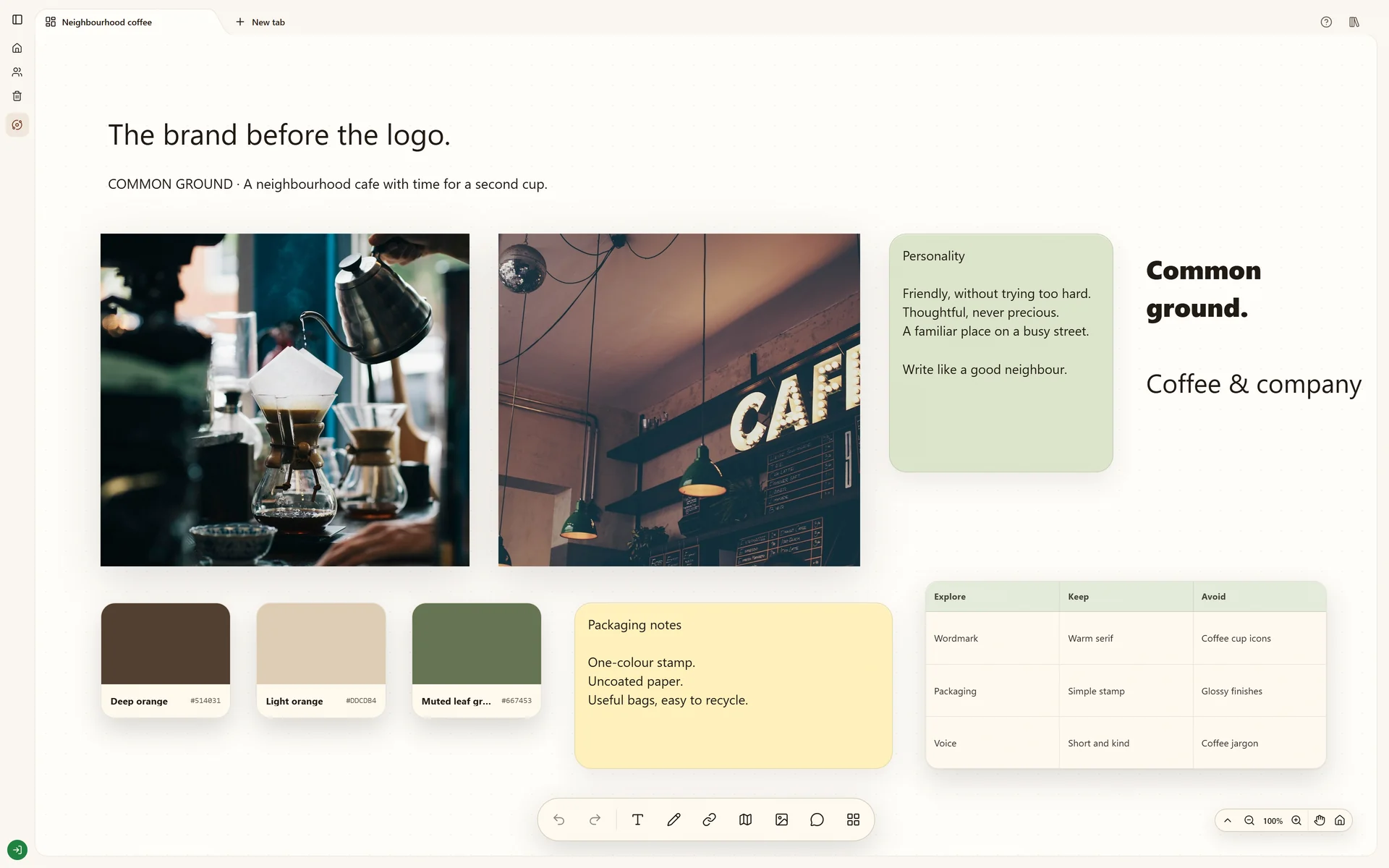
Explore a coffee brand through packaging references, visual direction and positioning notes.
Start your own boardThe real Stashiro interface with illustrative project data. Offers, prices, interviews and reporting leads shown are fictional examples.
Why this board works
Brand research becomes more useful when you can compare the visual language and the intended audience at the same time. This fictional coffee project gives packaging, mood and messaging a shared place to develop.
The branding question
The Coffee brand example explores how packaging, photography and positioning can describe the same brand. Begin with the audience and intended impression, then compare the visual references against those notes rather than choosing a palette in isolation.
Criteria for the references
For each packaging or photography reference, note whether it contributes a material, a lettering approach, a color relationship or a mood. Keep its original source. Separate references that suggest different directions so a reviewer can see the tradeoffs before choosing one.
From moodboard to a working brief
The useful output is a selected direction with reasons, remaining questions and reference links for the next design step. It is not a finished identity, a packaging file or permission to reuse reference artwork. The downloadable starter provides prompts for building that brief with your own material.
Build your version
Define the brand question
Write down the audience and the impression the brand should leave. Use those notes to judge which references belong on the board.
Build distinct directions
Group images, source links and draft words into a few directions. Add a note explaining the differences rather than relying on color alone.
Turn feedback into a choice
Review the alternatives with collaborators, then move the selected material into a clearer working arrangement. Keep rejected ideas elsewhere in the Space if they still hold useful context.
Try local boards without an account. They stay in this browser until you explicitly transfer them to your cloud account. Cloud storage, collaboration, desktop access, the Chrome extension, Telegram and connected AI tools require a paid Stashiro account.
Start with an editable layout
Download a starter board with prompts and space for your own references. It is a starting layout, not a copy of the illustrated project. Open a Stashiro board, expand the Spaces sidebar and choose Import board to load the file as a new board. Local import works without an account; cloud import requires a paid account.
Build a brand moodboard with a clear brief, source links and a small set of visual directions. Use a Stashiro board to explain why each reference belongs.
Connect compatible AI clients to Stashiro through remote MCP. Find references, create and edit visual boards, and save selected results with approved permissions.