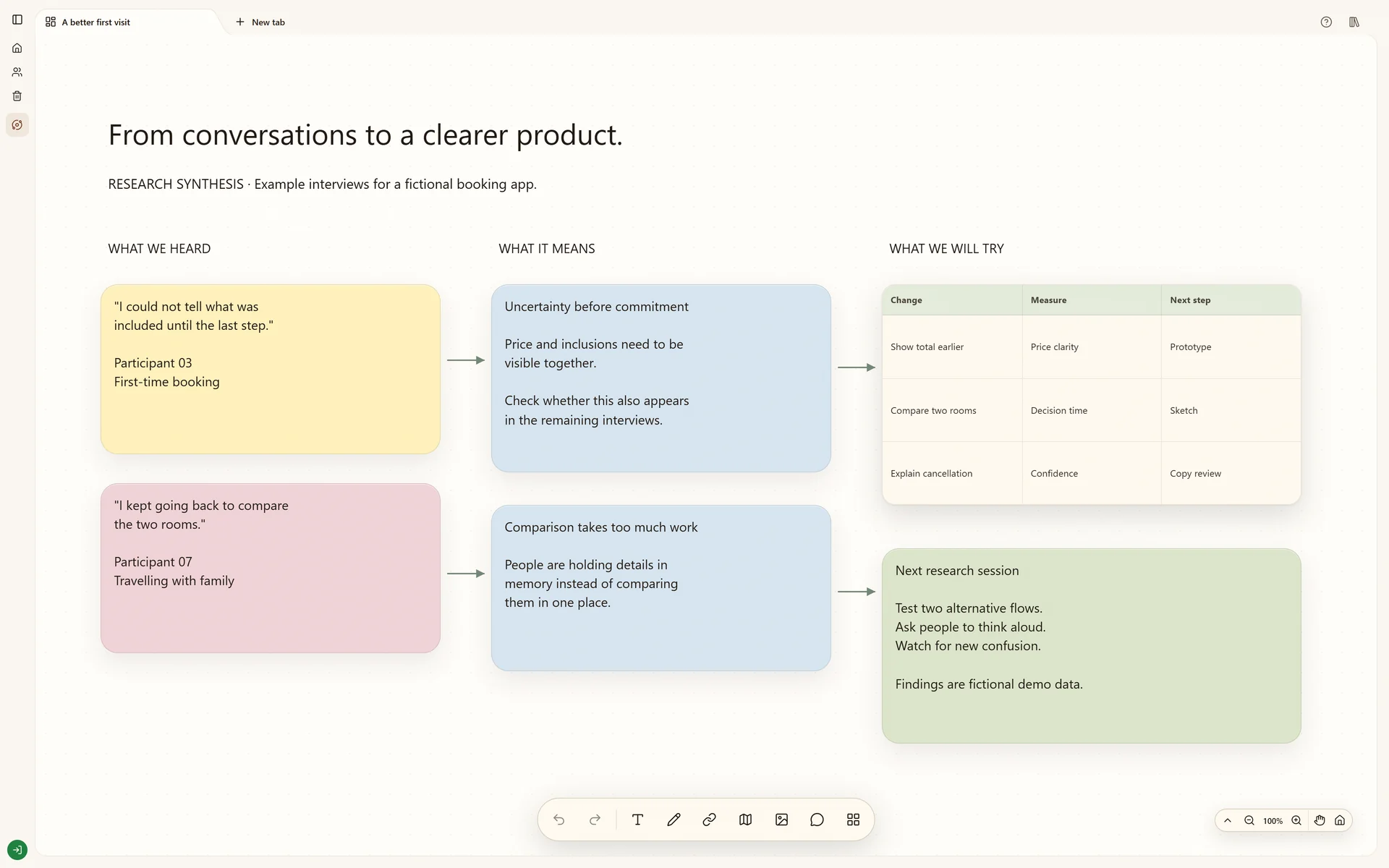
Connect research notes, source material and product decisions on a visual evidence board.
Start your own boardThe real Stashiro interface with illustrative project data. Offers, prices, interviews and reporting leads shown are fictional examples.
Why this board works
Research loses value when a conclusion is separated from the observation behind it. Arrange the evidence beside the questions and decisions, making it easier to distinguish what you observed from what you still need to test.
The research question
Start with a product decision that the board should inform. Keep that question visible beside the source material and observations. The illustrated board demonstrates a synthesis layout, not a completed study or verified interview evidence.
Criteria for evidence
A source belongs when it helps answer the question and its origin can be checked. Keep URLs, observation dates and anonymized interview context. Label an interpretation as an interpretation; repeated notes are not independent confirmation.
What a review should produce
Connect a proposed change to the observations supporting it and keep counterexamples nearby. End with a decision to test, the evidence it depends on and open questions. If an AI assistant drafts a synthesis, verify it against those sources before saving it as a conclusion.
Build your version
Keep the question visible
Start with the decision the research should inform. Collect source links and observation notes, using anonymized material when discussing people.
Group evidence without erasing it
Arrange related observations and add synthesis notes nearby. Connect a conclusion to the supporting cards instead of replacing them with a summary.
Record uncertainty
Keep open questions beside proposed changes. Share the board for review and use comments to challenge interpretations before they become product decisions.
Try local boards without an account. They stay in this browser until you explicitly transfer them to your cloud account. Cloud storage, collaboration, desktop access, the Chrome extension, Telegram and connected AI tools require a paid Stashiro account.
Start with an editable layout
Download a starter board with prompts and space for your own references. It is a starting layout, not a copy of the illustrated project. Open a Stashiro board, expand the Spaces sidebar and choose Import board to load the file as a new board. Local import works without an account; cloud import requires a paid account.
Connect compatible AI clients to Stashiro through remote MCP. Find references, create and edit visual boards, and save selected results with approved permissions.