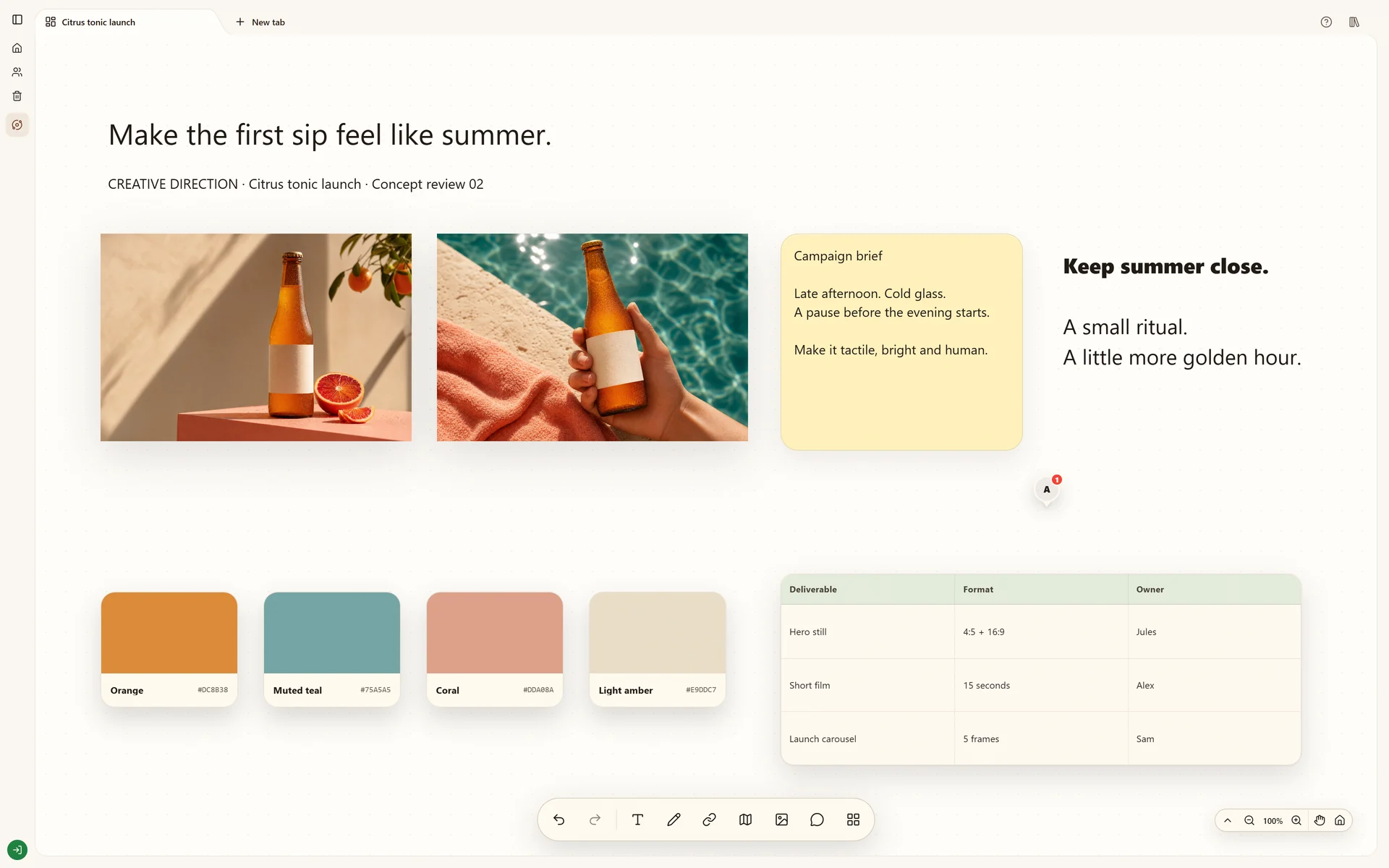
Save design inspiration with its source, group references by the decision they support and keep a visual reference library you can reuse in the next project.
How do I keep design inspiration I can find and use again?
Save each reference with its source link and one line about what it shows. Group references by the decision they support, such as type, color or layout. Keep the ones a project uses on that project's board. A folder of images without sources or reasons is hard to reuse.
Name the work the references serve, such as packaging for a client, a landing page or a photoshoot. Create a Space for that work and a board for each question you need to answer. A board called Type for the coffee bags tells you which references to keep and which to skip. A board called Inspiration does not.
Save the source with the image
Paste a page URL onto the board. On a cloud board, the Chrome extension saves the current page to the board's queue so you can place it when you review. The desktop clipboard app for Windows and Apple Silicon Macs keeps copied images, text and links, and you can send a useful copy to a board. Keep the original link beside each image so you can credit the author and check usage rights.
Write one line about why you saved it
Add a note beside the reference that names what you would take from it, such as the spacing between headline and image, the paper texture or the two-color palette. Six weeks later that line tells you why the reference is there. A collaborator can read the board without asking you.
Group by decision, then cut
Place references that answer the same question next to each other and label the group. Remove a reference when a stronger one makes the same point. When a group settles into a direction, move the chosen references to a moodboard for the project and leave the wider collection in its Space.
Reuse a reference in the next project
Open the Space and find the labeled group. Copy the cards you need and paste them onto the new project's board with their notes and links. With the Stashiro app connected in ChatGPT, you can ask for the source links on a named cloud board. Open each source again before you rely on it, because pages change.
Before you call it finished
Each board answers a named design question.
Every reference keeps its source link.
Each reference has a one-line reason.
Groups are labeled by the decision they support.
Usage rights are checked before a reference becomes an asset.
Start with the tools you need
Try local boards without an account. They stay in this browser until you explicitly transfer them to your cloud account. Cloud storage, collaboration, desktop access, the Chrome extension, Telegram and connected AI tools require a paid Stashiro account.