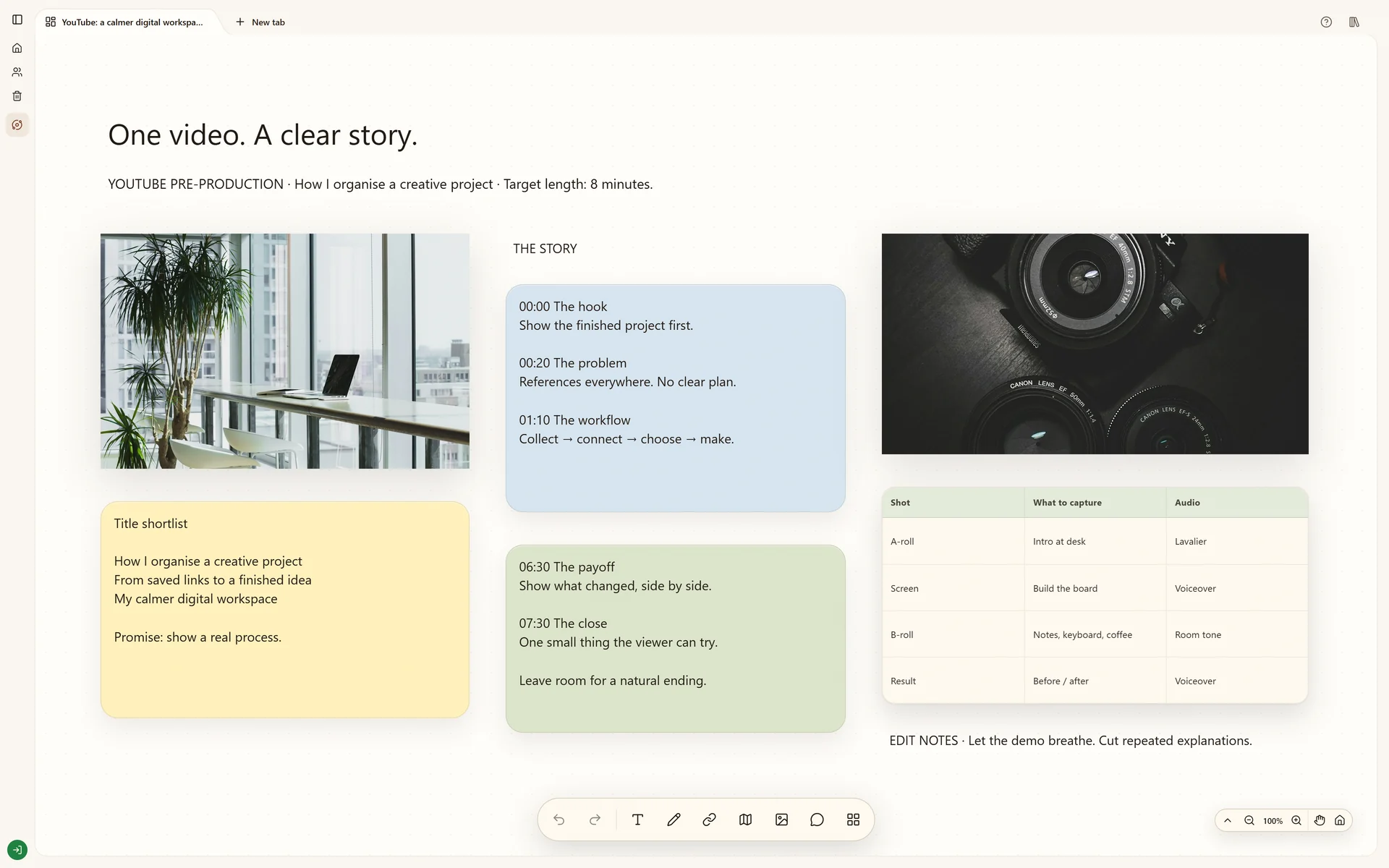
Include the viewer's question, the promise of the video, reference links, a rough opening and outline, visual examples, and a shot list. Keep factual sources and asset permissions beside the scene that needs them.
Write the question your video will answer and a one-sentence promise. For a tutorial, specify the result the viewer should be able to reproduce. This makes it easier to choose an opening, remove tangents and judge whether the ending delivers what the title promises.
Save references for specific reasons
Keep a reference video beside a note about its opening, framing or editing rhythm. Save source links rather than copying another creator's script. Supported YouTube links can play inline on the board; the cloud Chrome extension can collect references while you browse.
Place the outline beside the images
Arrange the opening, main points and ending as separate notes. Put a visual reference next to the section it helps explain. For each claim, keep the supporting source nearby. Move sections until the order makes sense before spending time on a polished script.
Make the plan filmable
Add the shots, location, props and recordings each section needs. Mark what you can capture together to reduce setup changes. Review the board with a collaborator if needed, then keep final references in a sibling board. Stashiro organizes the plan; it does not replace your camera, editor or rights checks.
Before you call it finished
The title and opening promise the same result.
Each reference has a specific purpose.
The outline has a clear beginning and ending.
Each section has a feasible shot or visual.
Claims and third-party assets have been checked.
Start with the tools you need
Try local boards without an account. They stay in this browser until you explicitly transfer them to your cloud account. Cloud storage, collaboration, desktop access, the Chrome extension, Telegram and connected AI tools require a paid Stashiro account.