
Skip to contentStashiro 
 First 30 seconds
Cold open on the stone path at 6am, no music, just footsteps and rain.
"F

 Why now
Cherry season bookings open in March and search for "Nakasendo walk" doubles everyTitle rules
Under 60 characters
One number, one place
Title and thumbnail say different thHook check
Stakes in the first sentence
The payoff is promised, not shown
No channel introConcept A wins
Me small on a misty forest path, big text "5 DAYS" top left, no face close-Promise to the viewer
By the end you know whether this walk is for you, what it costs, andOutlineB-roll listPublishing checklistPerformance targets0:00 Cold open
Rain on the stone path, the promise, the map.ShotWhereStatusUpload day, Sun 7 March
☑ Final title and two thumbnails uploaded for the thumbnail compar1:30 Day 1: Magome to Tsumago
The famous 8 km. Waterfalls, the tea house that has served wTargets
Click-through rate: 7.5% in the first 48 hours
Average view duration: 9:30 or more6:00 Days 2 and 3: the quiet middle
Nobody films this part. Empty forest, a 76-year-old inGear
☑ Sony ZV-E10 with 10-18mm
☑ DJI Mini 4 Pro, Kiso drone permit
☑ Rode Wireless GO II
studio.youtube.com12:30 Day 4: the Torii Pass
The hardest climb, snow at the top, why I almost took the trai17:00 Narai and the costs
Arrival, the full cost breakdown on screen, how to book, end scr
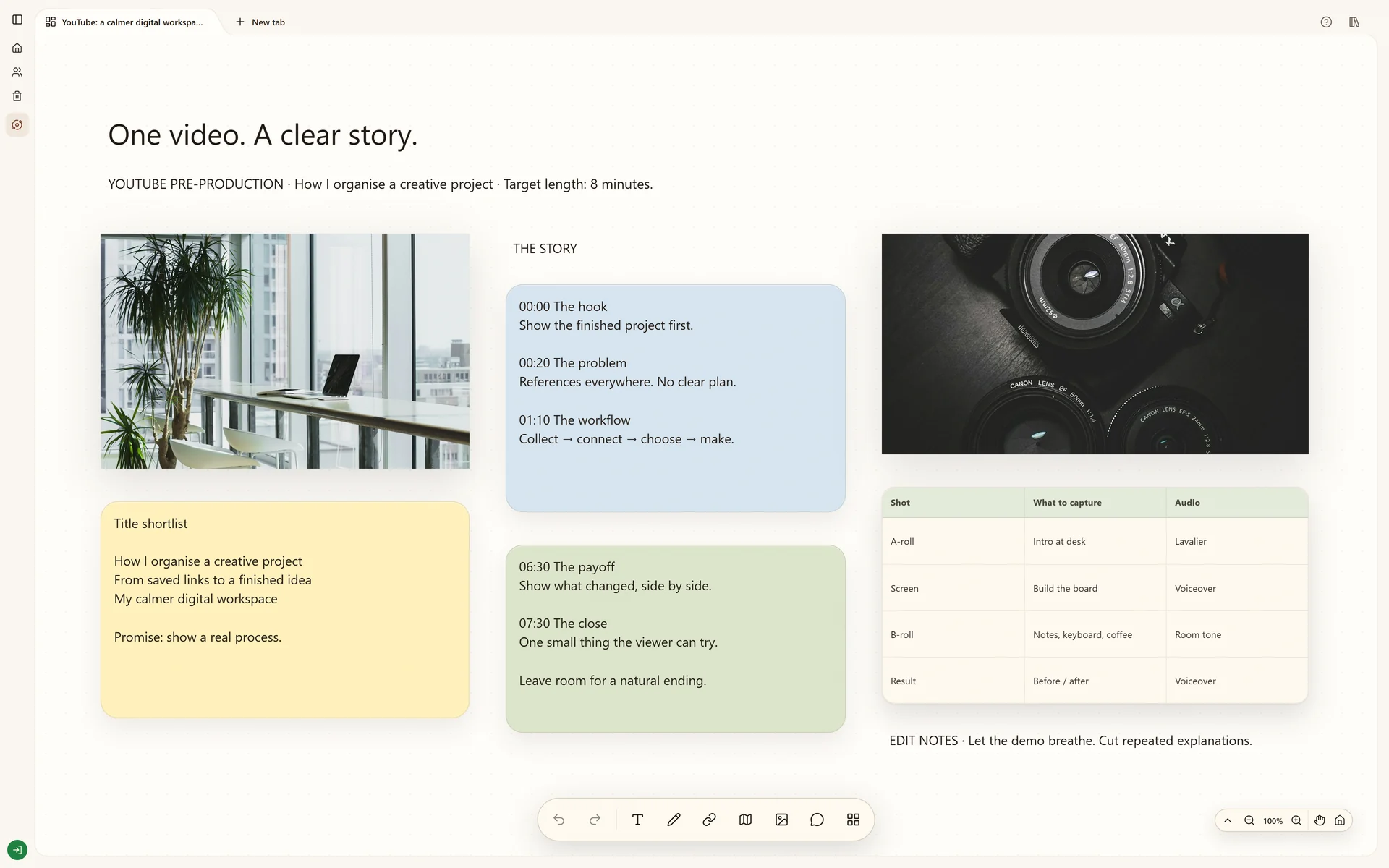 From YouTube idea to shot list: board example

Content Creation template
YouTube Video Plan template
Idea, titles, thumbnails, hook, outline, b-roll and publishing checklist for one video on one board.
First 30 seconds
Cold open on the stone path at 6am, no music, just footsteps and rain.
"FWhy now
Cherry season bookings open in March and search for "Nakasendo walk" doubles everyTitle rules
Under 60 characters
One number, one place
Title and thumbnail say different thHook check
Stakes in the first sentence
The payoff is promised, not shown
No channel introConcept A wins
Me small on a misty forest path, big text "5 DAYS" top left, no face close-Promise to the viewer
By the end you know whether this walk is for you, what it costs, andOutlineB-roll listPublishing checklistPerformance targets0:00 Cold open
Rain on the stone path, the promise, the map.ShotWhereStatusUpload day, Sun 7 March
☑ Final title and two thumbnails uploaded for the thumbnail compar1:30 Day 1: Magome to Tsumago
The famous 8 km. Waterfalls, the tea house that has served wTargets
Click-through rate: 7.5% in the first 48 hours
Average view duration: 9:30 or more6:00 Days 2 and 3: the quiet middle
Nobody films this part. Empty forest, a 76-year-old inGear
☑ Sony ZV-E10 with 10-18mm
☑ DJI Mini 4 Pro, Kiso drone permit
☑ Rode Wireless GO II
studio.youtube.com12:30 Day 4: the Torii Pass
The hardest climb, snow at the top, why I almost took the trai17:00 Narai and the costs
Arrival, the full cost breakdown on screen, how to book, end scrWhat is a youtube video plan template?
The YouTube Video Plan template is the working board for a single video. The idea, title options, thumbnail concepts, the first 30 seconds, the outline, the b-roll list and the upload checklist sit side by side, so the packaging and the content are planned together instead of the title being an afterthought on upload day.
It is built for YouTube creators, editors and content marketers making long-form videos. Solo creators use it to keep a whole video in one view from idea to publish, and small teams use it to hand a clear plan to an editor and a thumbnail designer.
The worked example plans a 21-minute travel video for a Kyoto-based channel: walking 86 km of the old Nakasendo road through the Kiso Valley in five days. Keep the example to see how each section is filled, or start from the empty structure.
What is inside
- Idea3 notes
- Title options1 table, 1 note
- Thumbnail concepts4 pictures, 1 note
- Hook1 text card, 1 note
- Outline5 notes
- B-roll list1 table, 1 checklist
- Publishing checklist1 checklist, 1 link
- Performance targets1 chart, 1 note
How to use the YouTube Video Plan template
Step 1
Write the idea and the promise to the viewer in one or two sentences before you plan anything else.
Step 2
List five or more title options, score them, and sketch thumbnail concepts that work with the strongest title.
Step 3
Script the first 30 seconds word for word in the hook column, then map the rest of the video in the outline.
Step 4
Build the b-roll list from the outline so every beat has the shots it needs, and tick them off as you film.
Step 5
Set view, click-through and retention targets next to the chart so you know what a good result looks like.
Step 6
Work through the publishing checklist on upload day and share the board with your editor or designer.
See a finished board
Plan a YouTube video with a hook, research, script outline, visual references and shot list on a Stashiro board.
From YouTube idea to shot list: board exampleYouTube Video Plan template questions, answered
What is a YouTube video plan?
A YouTube video plan is the working document for one video. It gathers the idea, title and thumbnail options, the hook, the outline, the footage you need and the upload details in one place, so production stays organized from the first idea to the publish button.
Who is the YouTube Video Plan template for?
YouTube creators, video editors and content marketers planning long-form videos. Solo creators keep a whole video in one view, and teams use it to brief editors and thumbnail designers from the same board.
How is a video plan different from a channel plan?
A video plan covers a single upload: its packaging, script and shots. A channel plan covers the whole channel: positioning, audience, content pillars, series and upload cadence. Use the YouTube Channel Plan template for strategy and this one for each video.
Can I start from an empty video plan?
Yes. When you use the template, leave Keep example content unchecked to get the same sections, tables and labels with the example writing cleared.
Can Stashiro AI fill the plan for my video?
Yes, on paid plans. Ask the AI to plan your next video and it applies this template, then rewrites the example content for your topic. You review every card on the board before applying.
Related templates
Music Video Plan templateFilmmakingThe song mapped section by section, with the concept, looks, locations, shot ideas, budget and shoot days.Storyboard templateStoryboardingScenes as rows of frames, each with its shot, action, dialogue and duration, plus timing and supers.Photoshoot Plan templatePhotographyBrief, moodboard, shot list, team, gear, schedule, location and usage for a photoshoot on one board.Video Script templateContent CreationA video written section by section in two columns, what we see and what we hear, from hook to call to action.YouTube Channel Plan templateContent CreationPositioning, audience, content pillars, series, upload cadence, growth targets and monetization for a channel.Podcast Episode Plan templateContent CreationGuest research, questions, run of show, sponsor read, promo clips and show notes for one episode.


