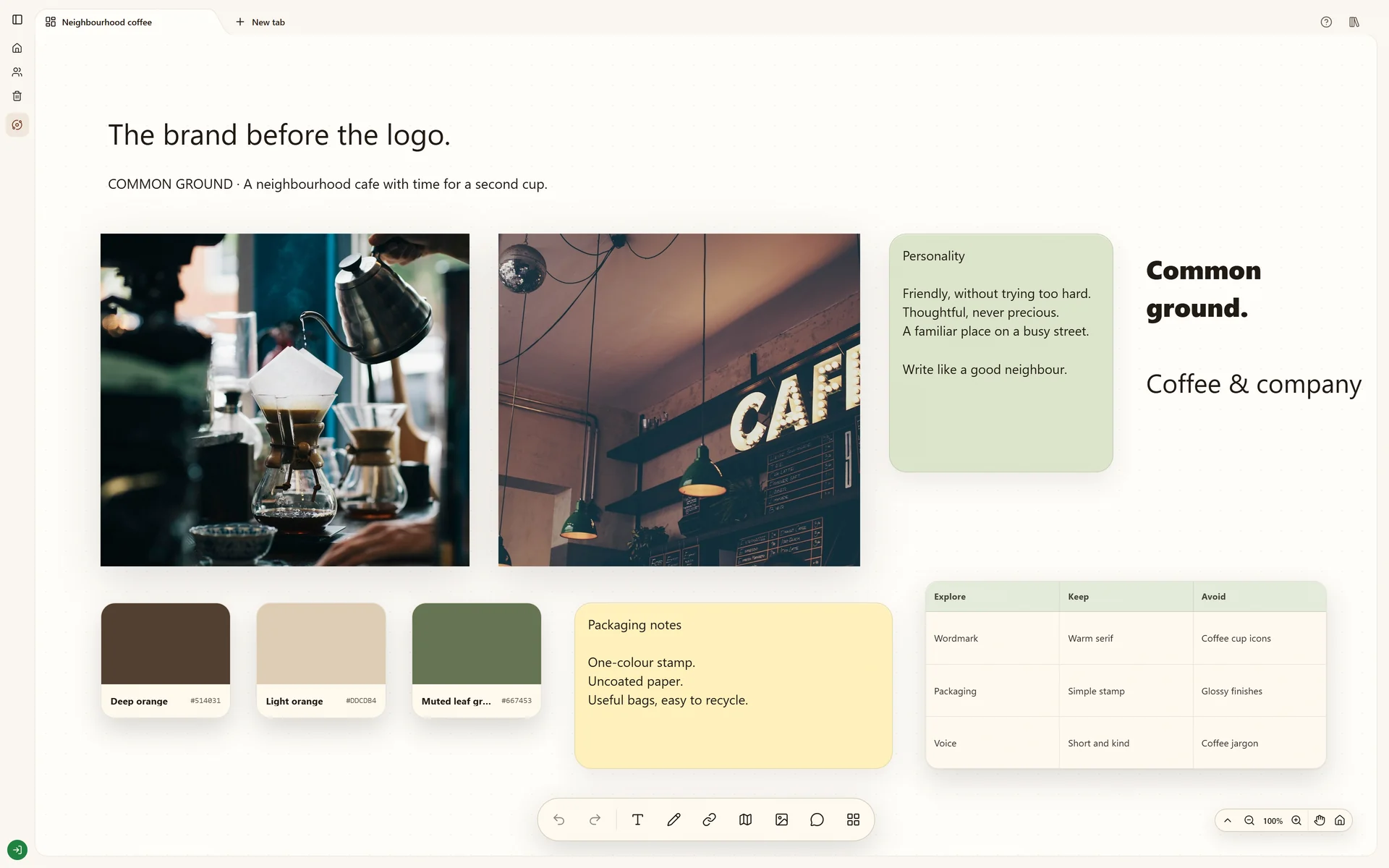
Precedents
Reference projects with a note on each
Place photos, plans and articles freely and add one line under each about what to borrow from it.
See the moodboard makerUse case for architects and interior designers
Architects and interior designers keep precedent studies, material palettes, product links and site visit notes on one Stashiro canvas. The client sees why a finish was chosen, because the reference and the reason sit next to it.
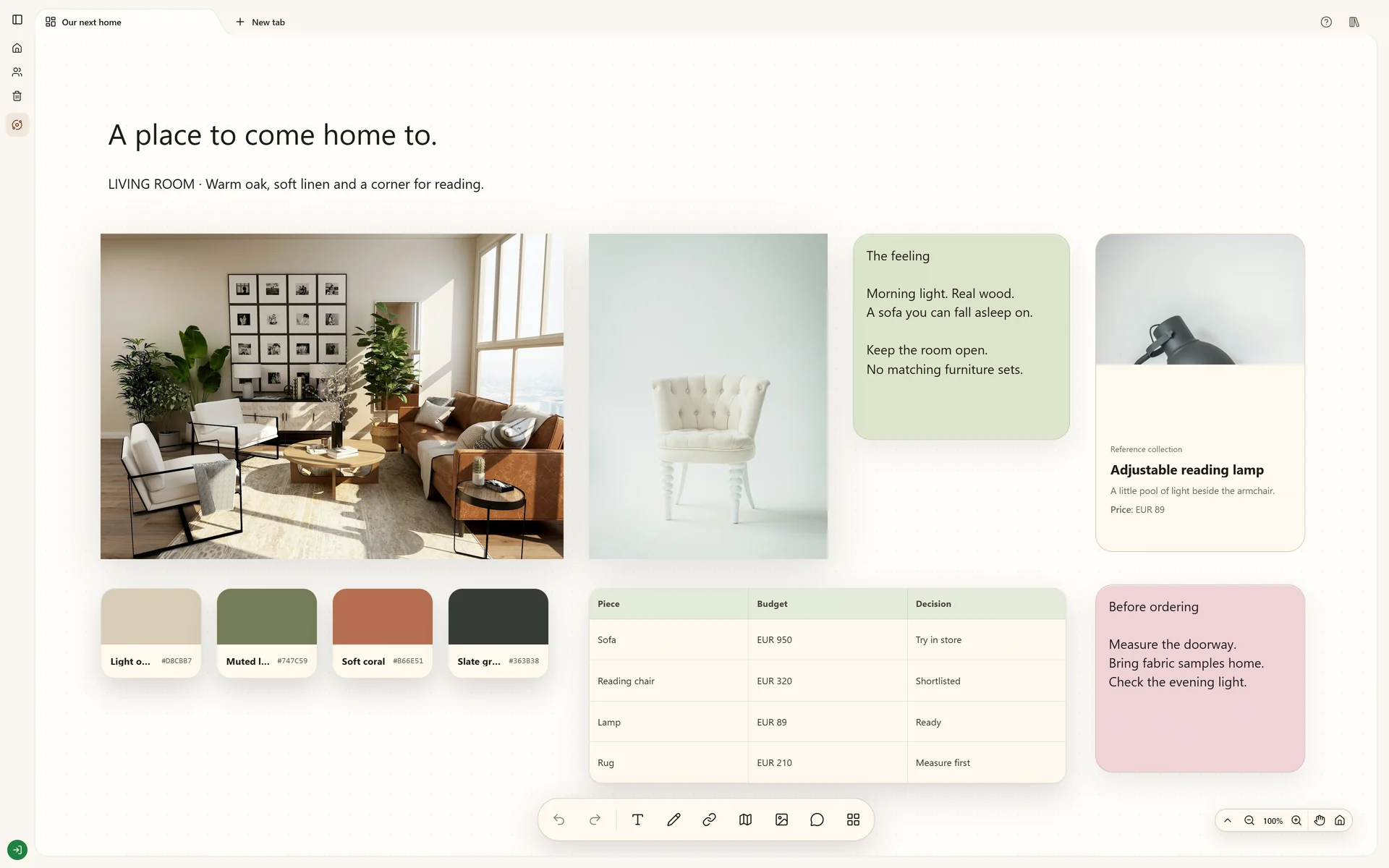
A design concept board is the place where an architecture or interior project's precedents, materials, products and constraints are gathered and compared before design development. Stashiro is a visual board for that work: an infinite canvas where images, product links, notes, tables and maps sit together, with a Space per project and sibling boards per room or phase.
Plans and models are drawn in CAD and BIM tools. The board is where the concept is argued for and agreed, with the client in the loop.
Create a Space with sibling boards per room or phase. Put the brief, the budget and the constraints in a note on the first board.
Save project photos, product pages and supplier sheets. Group them by room or by material, and add color swatches for the finishes.
Put product cards side by side, compare them in a table with price, lead time and finish, and note which one fits the brief.
Invite the client to review the concept board. Keep the agreed selection on its own board and the alternatives in the Space.
Precedents
Place photos, plans and articles freely and add one line under each about what to borrow from it.
See the moodboard makerSourcing
Shop links show as product cards. Put options side by side and compare them in a table with price, lead time and finish.
See product comparison boardsSite visits
Map cards place the site and suppliers as stops. Record a voice note on site, or send photos from your phone through the Telegram bot.
See the Telegram botClient in the loop
Invite clients to view or edit a cloud board. Questions about a material sit next to the material.
See the home exampleFiles on the board
Drop a PDF spec sheet, a Word brief or an Excel schedule onto the board and read it in place.
See how files sit on research boardsPunch list
Track samples, orders and snags as to-dos and tickets with an owner and a due date, beside the room they belong to.
See home project boardsOne Space per project. Collect on a free local board, and move to the cloud when the client joins.
Free
No account. Boards stay in this browser until you transfer them.
4.79 EUR per month
Cloud boards without built-in AI.
8.99 EUR per month
Cloud boards with Stashiro AI.
10.99 EUR per month
Plus with more storage and AI credits.
Eligible new subscribers get a 14-day trial. Prices are shown in EUR; current prices, regional currencies and annual plans are on the pricing section.
Worked examples show the real Stashiro interface with fictional project data, and some include a starter board you can download and import. Templates open as a new board you can edit.
Home references and priorities compared side by side.
A moodboard that turns references into a direction.
Phases, site visits and deliverables for a project.
Zones, finishes and furniture for a space.
References grouped by color, texture and feeling.
Milanote has templates and phone apps, Pinterest is the best place to discover interiors, and Miro runs live workshops. Here is how each one handles concept work, including the rows where Stashiro is not the pick.
| Need | Stashiro | Milanote | Miro | |
|---|---|---|---|---|
| Free-form canvas for images, links and notes | Yes | Yes | Partly | Yes |
| Save web pages with a browser extensionChrome and Edge, on paid plans. | Yes | Yes | Yes | Partly |
| Map cards with stops and routes | Yes | No | No | No |
| Built-in AI that drafts or edits the workStashiro AI lays out and edits boards on Plus and Studio, with a preview before anything is applied. | Yes | No | Partly | Yes |
| Start a board without an accountLocal boards open in the browser and stay there until you transfer them. | Yes | No | No | No |
| Discover ideas from other people | No | No | Yes | Partly |
| Native phone apps in the app storesStashiro runs in the phone browser, and the Telegram bot sends links, photos and voice notes to a board. | No | Yes | Yes | Yes |
| Large template libraryAbout 80 templates in 26 categories. | Partly | Yes | No | Yes |
| Free cloud planFree boards stay in your browser. Cloud boards start at the Starter plan. | No | Yes | Yes | Yes |
Verdicts for other tools come from their official product, pricing and help pages. No means those pages do not describe the feature, not that we tested it. Each full comparison lists its sources.
Local boards are free and need no account: they stay in your browser. Cloud boards, client reviews and Stashiro AI need a paid plan, from 4.79 EUR per month for Starter. AI is included on Plus and Studio.
It is not a CAD or BIM program and it does not draw plans, render spaces or generate images. Draw in your design tools and use the board for precedents, materials and client decisions.
Yes. Use a table with one row per item and columns for room, supplier, price and status, next to the product cards it refers to.
Yes. Product links from Amazon, AliExpress and Temu show as product cards with the main product image. Other supplier pages show a link preview. Compare them in a table beside the cards.
Yes. Invite the client to a cloud board as a viewer. Viewers sign in with a free account to see the board; editors need a paid plan to add cards and comments.
Yes. Make a sibling board per room in the project's Space, or group each room's references in a container on one board.
Yes. Map cards show stops and routes. Add the site and suppliers as stops and keep photos from each visit beside the map.
Yes. Drop PDF, Word or Excel files onto the board as file cards and open them in place, next to the products they describe.
Open a local board in your browser now, or start a 14-day trial when the client joins.