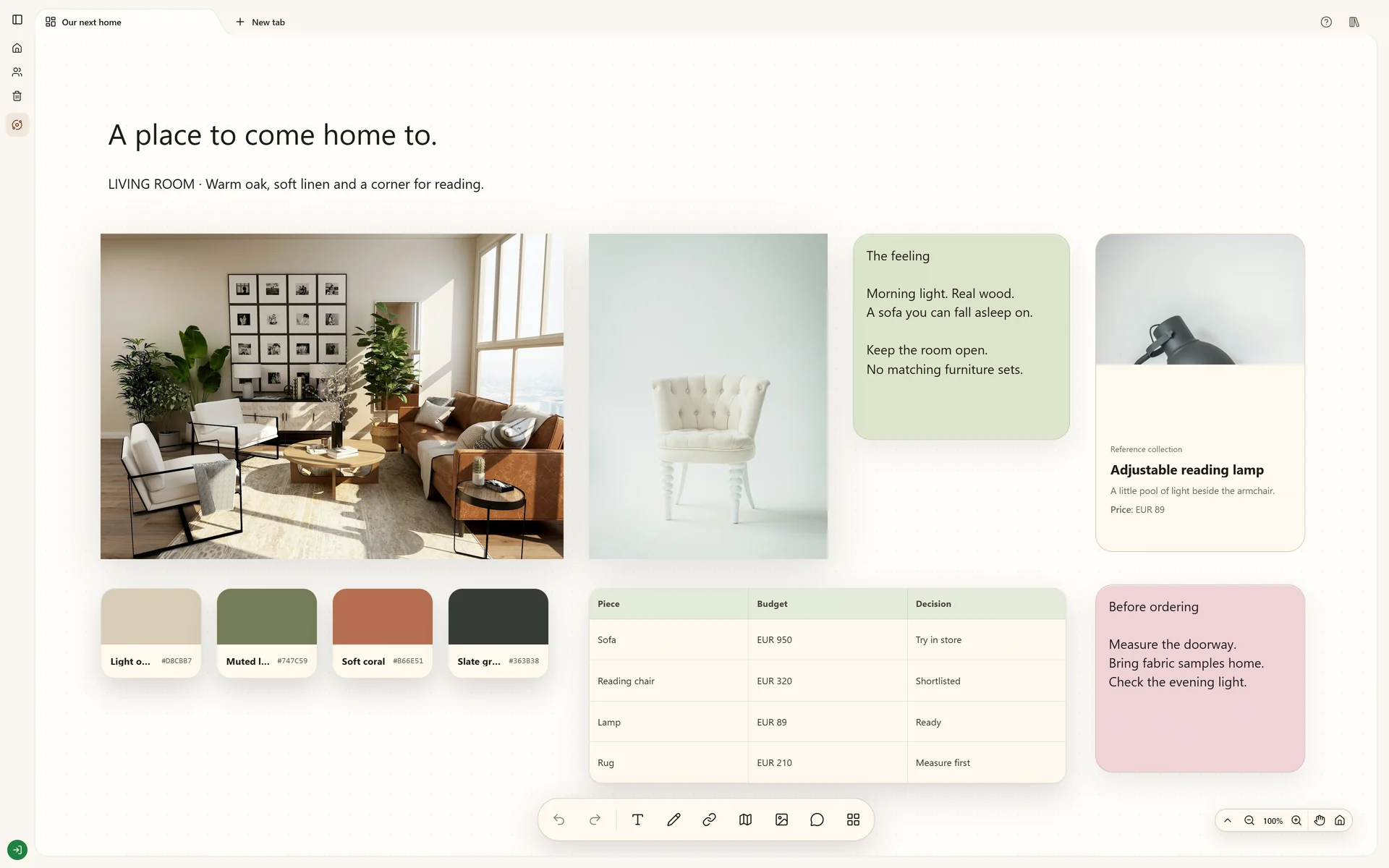
Product cards
The product image, not just a link
Amazon, AliExpress and Temu links get a dedicated card with the main product image, loaded when the board opens.
See the product research exampleUse case for shoppers
Shoppers keep every option for a purchase on one Stashiro board: product cards with their picture, a table for prices and specs, and a note on what each one gets right. The decision stops living in twenty open tabs.
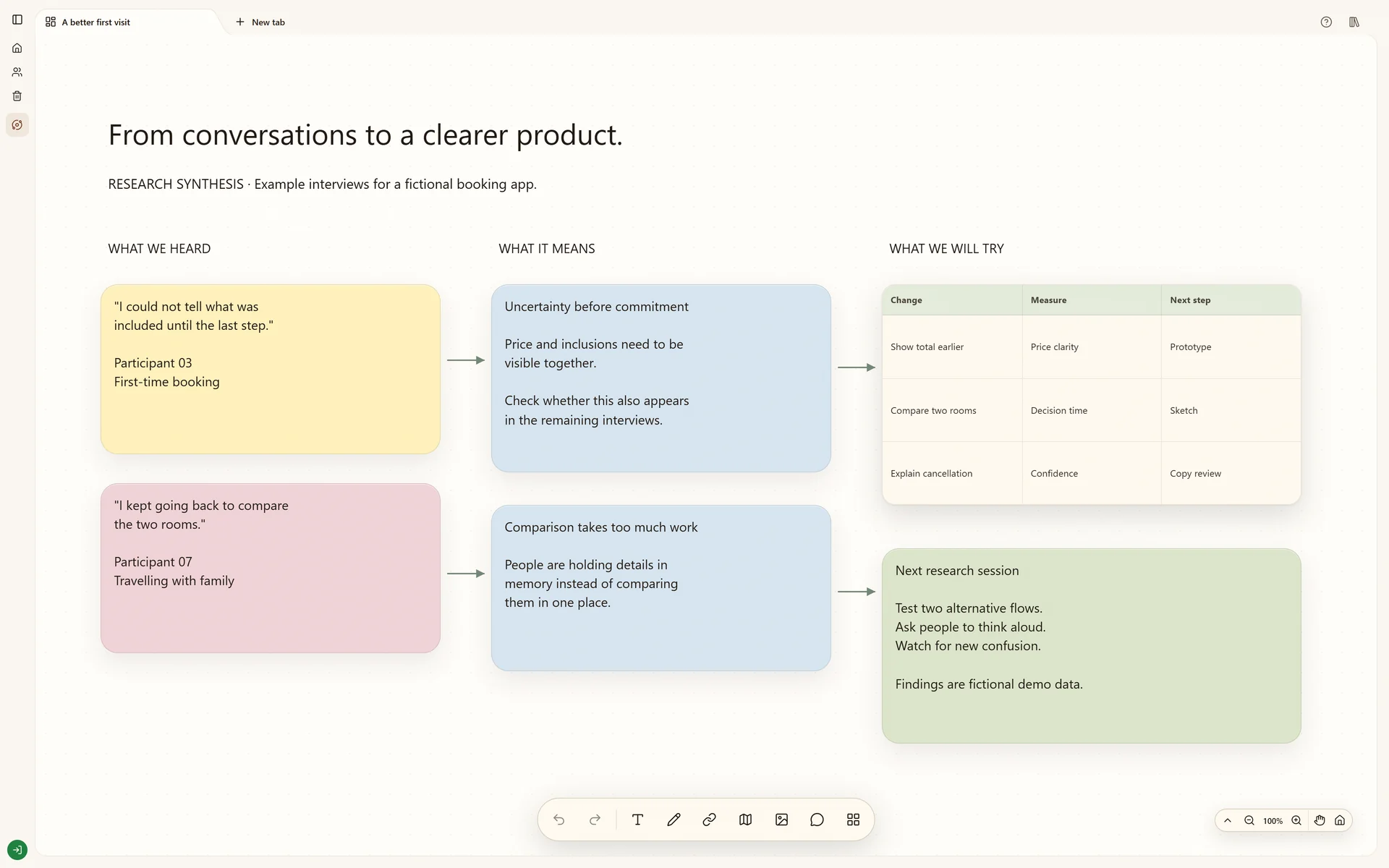
A shopping comparison board puts the options for one purchase side by side: the product, its price, the specs that matter and your notes. Stashiro is a visual board for that, with product cards for Amazon, AliExpress and Temu that show the main product image, link previews for other shops and tables to compare.
It does not buy anything, track prices or find deals. It helps you see the options together and remember why you chose one.
Start with a note: the budget, the size and the two or three things the product must do.
Paste product links onto the board. Amazon, AliExpress and Temu links become product cards with the main image.
Add a table with price, specs and delivery time, and put a note under each product with its pros and cons.
Move the two best options to a shortlist board in the same Space, or ask the person you are buying with to comment.
Product cards
Amazon, AliExpress and Temu links get a dedicated card with the main product image, loaded when the board opens.
See the product research exampleSave while you browse
On paid plans, the Chrome and Edge extension adds a save button on Amazon, AliExpress and Temu product images and sends the link to a board's queue.
See the Chrome extensionCompare
A table on the canvas sits next to the products it compares, so the numbers and the pictures stay together.
See everyday plansNo doubles
Stashiro tells you when a link is already on your boards, and can check a board for broken links.
See collecting and bookmarkingTogether
Invite a partner or a friend to a cloud board and talk about each option in comments.
See shared home projectsCompare on a local board for free. The extension and shared boards come with the cloud plans.
Free
No account. Boards stay in this browser until you transfer them.
4.79 EUR per month
Cloud boards without built-in AI.
8.99 EUR per month
Cloud boards with Stashiro AI.
10.99 EUR per month
Plus with more storage and AI credits.
Eligible new subscribers get a 14-day trial. Prices are shown in EUR; current prices, regional currencies and annual plans are on the pricing section.
Worked examples show the real Stashiro interface with fictional project data, and some include a starter board you can download and import. Templates open as a new board you can edit.
Options, notes and a comparison table for choosing between products.
Home references and options to compare together.
Rooms, products, quotes and the order of the work.
A week of tasks, errands and purchases.
Pinterest is better for discovering products you did not know about, Raindrop.io has a generous free plan and phone apps for saving links, and Notion can hold a detailed database. Here is where each one stands for comparing a purchase, including where Stashiro is not the best pick.
| Need | Stashiro | Raindrop.io | Notion | |
|---|---|---|---|---|
| Free-form canvas for images, links and notes | Yes | Partly | No | No |
| Start a board without an accountLocal boards open in the browser and stay there until you transfer them. | Yes | No | No | No |
| Save web pages with a browser extensionChrome and Edge, on paid plans. | Yes | Yes | Yes | Yes |
| Save from a desktop clipboard historyDesktop app for Windows and Apple Silicon Macs, in beta. | Yes | No | No | No |
| Discover ideas from other people | No | Yes | No | No |
| Native phone apps in the app storesStashiro runs in the phone browser, and the Telegram bot sends links, photos and voice notes to a board. | No | Yes | Yes | Yes |
| Free cloud planFree boards stay in your browser. Cloud boards start at the Starter plan. | No | Yes | Yes | Yes |
Verdicts for other tools come from their official product, pricing and help pages. No means those pages do not describe the feature, not that we tested it. Each full comparison lists its sources.
Local boards are free and need no account: they stay in your browser. The extension, cloud boards and sharing need a paid plan, from 4.79 EUR per month for Starter. Stashiro AI is included on Plus and Studio.
Amazon, AliExpress and Temu product links get a dedicated product card with the main image. Links from other shops show a regular link preview.
No. Stashiro does not watch prices. The card shows the current picture and title when the board loads; write the price you saw in a table.
No. The card links to the store, where you buy. Stashiro has no checkout and no affiliate links.
There is no app in the phone stores. Stashiro runs in your phone's browser, and the Telegram bot sends links and photos to a board.
A link card is a preview, not an archive of the page. Keep the model name and key specs in a note or table.
Yes, with the paid Chrome and Edge extension: a save button sits on the product image and sends the link to the board's queue.
Open a local board in your browser now, or start a 14-day trial to save from the store page.