One Space per client
Brief, research and creative stay together
Spaces group sibling boards for one account. Switch between clients without losing where you were, and keep the history of each account in one place.
See the brand exampleUse case for agencies
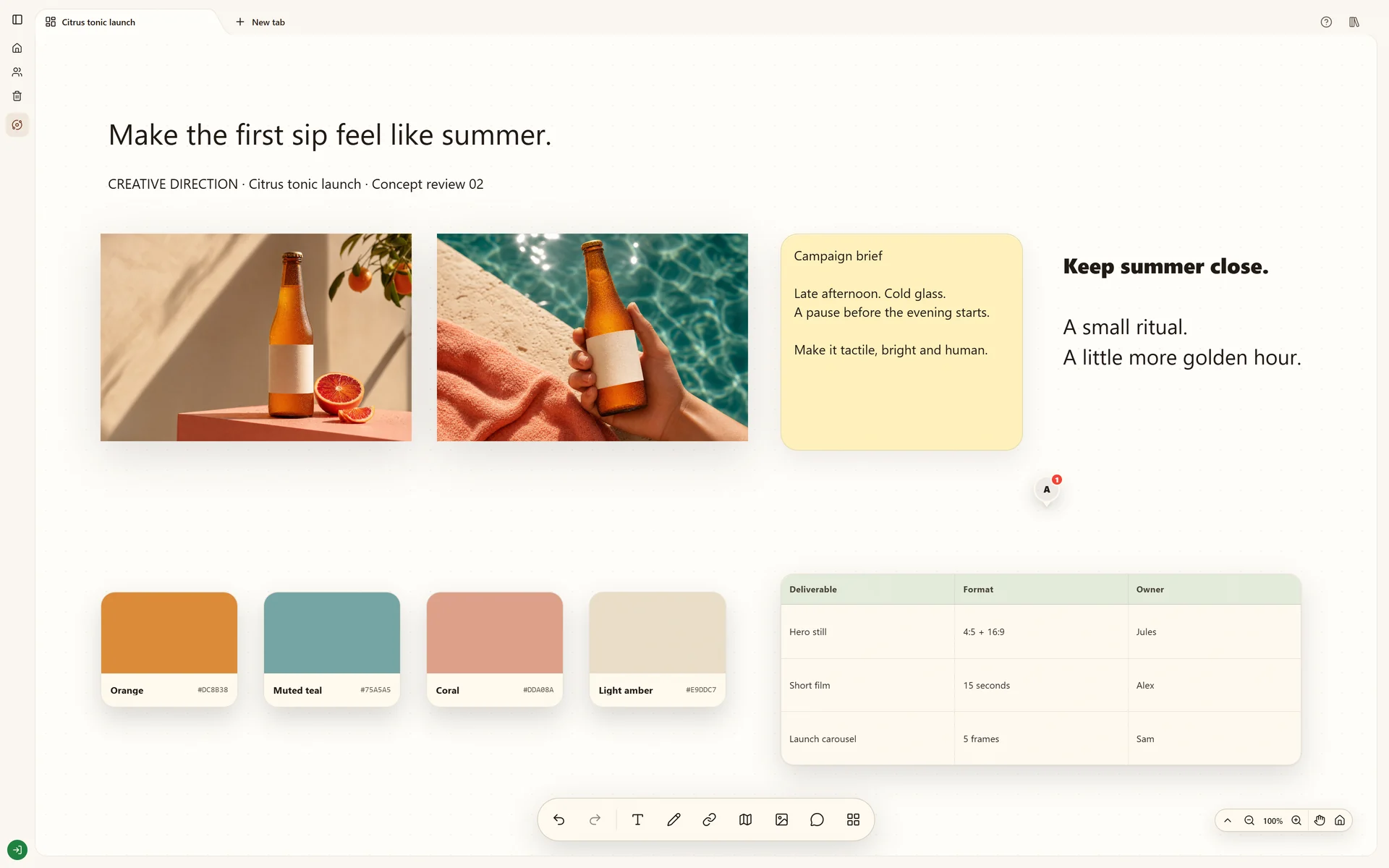
Creative, marketing and design agencies give each client one Stashiro Space, with the brief, the references, the directions and the schedule on sibling boards. Account, creative and production teams read the same plan, and the reason for each decision stays beside it.
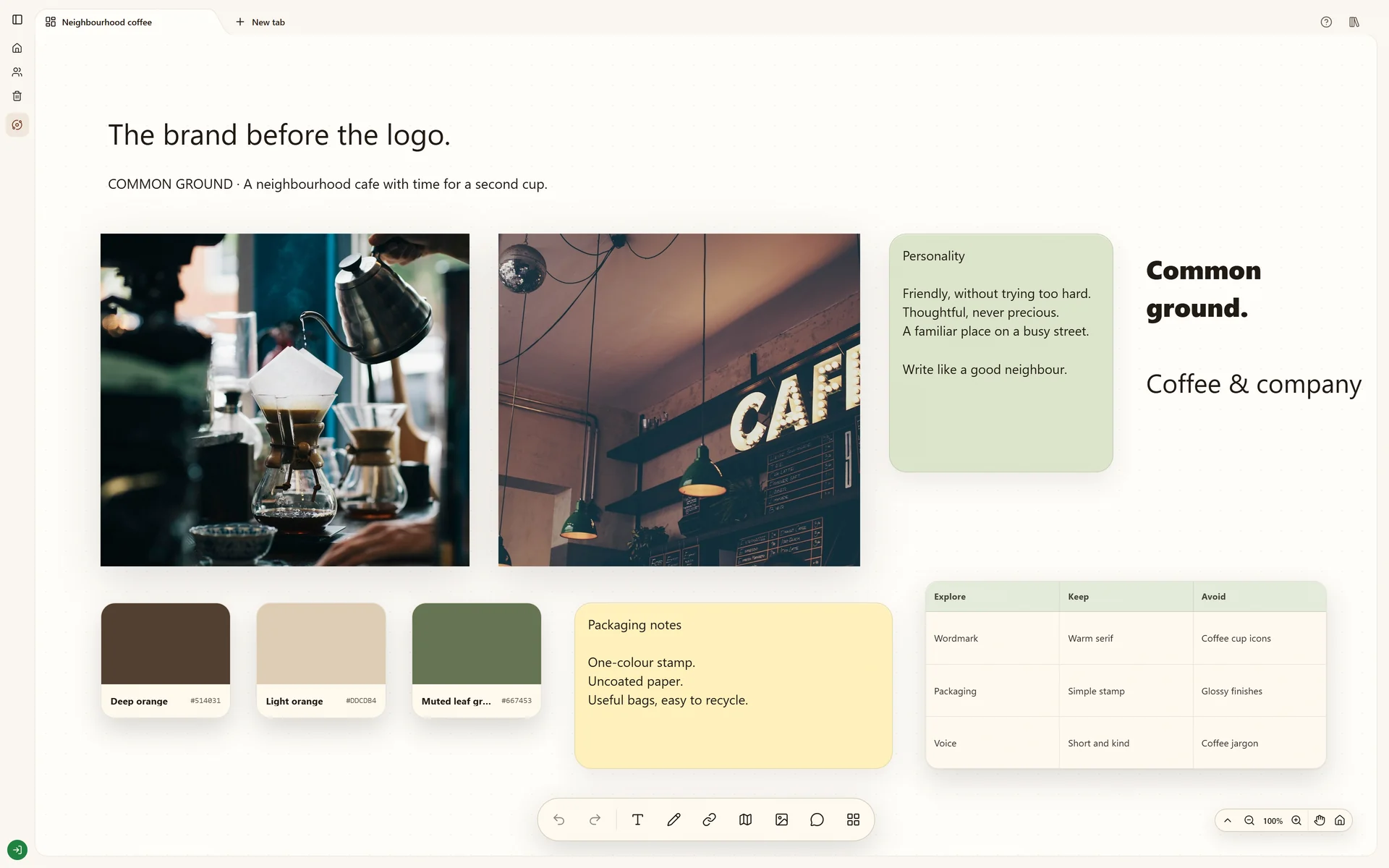
A client workspace is one place per account where the brief, the references, the creative routes and the delivery plan live together. Stashiro is a visual board for that work: each client gets a Space with sibling boards for research, directions and production, and the team works on them together.
Time tracking, invoicing and approvals belong in your agency tools. The board is where the thinking happens: it keeps the routes you presented, the feedback and the references in one view that a new team member can read in minutes.
Create a Space with sibling boards for the brief, the research and the creative. Put the brief and the client's own material on the first board.
Save images, links and social posts with the extension, paste them in or send them from Telegram. Group them into competing routes side by side.
Write one note under each route about what it should make people feel. Connect references to the decisions they support, and keep rejected routes on a sibling board.
Invite your team and the client to the cloud board to view, add sources or edit. Feedback lands in comments beside the work it is about.
One Space per client
Spaces group sibling boards for one account. Switch between clients without losing where you were, and keep the history of each account in one place.
See the brand exampleCreative directions
Lay out two or three routes next to each other, each with its references, palette cards and a note on the idea, so the client compares them against the same brief.
See the moodboard makerRoles for every person
Give freelancers edit access, let the client add references to the queue, and keep stakeholders on view. Live presence shows who is on the board.
See how teams share boardsA first draft from a prompt
On Plus and Studio, paste the brief and Stashiro AI proposes a first board with goals, audiences and deliverables. Nothing is added until you apply it.
See Stashiro AIClient links
Send the client a link to a board they can view in the browser, with no sign-up.
See how directors presentPitch decks
Turn a client board into an editable deck or a PDF, one idea per slide, ready to present.
See campaign planningLive collaboration
See your team's cursors, follow what changed and restore an earlier version of a board.
See team boardsPlans are per person, and you invite people to each client board. Start free on a local board.
Free
No account. Boards stay in this browser until you transfer them.
4.79 EUR per month
Cloud boards without built-in AI.
8.99 EUR per month
Cloud boards with Stashiro AI.
10.99 EUR per month
Plus with more storage and AI credits.
Eligible new subscribers get a 14-day trial. Prices are shown in EUR; current prices, regional currencies and annual plans are on the pricing section.
Worked examples show the real Stashiro interface with fictional project data, and some include a starter board you can download and import. Templates open as a new board you can edit.
Packaging references, visual direction and positioning notes for a brand.
A creative direction with the campaign brief, visual references, copy ideas and feedback.
Every client, project and deliverable in one overview board.
The brief, references and deliverables for one client.
A board laid out to walk a client through the work.
Notion is stronger for client wikis and databases, Miro for live workshops, and Milanote has a free plan and phone apps. Here is where each one stands for agency client work, including the rows where Stashiro is not the best pick.
| Need | Stashiro | Notion | Miro | Milanote |
|---|---|---|---|---|
| Free-form canvas for images, links and notes | Yes | No | Yes | Yes |
| Built-in AI that drafts or edits the workStashiro AI lays out and edits boards on Plus and Studio, with a preview before anything is applied. | Yes | Yes | Yes | No |
| Works from ChatGPT or ClaudeAn app in the ChatGPT store and an MCP connection for Claude and other clients. | Yes | Yes | Yes | No |
| Save web pages with a browser extensionChrome and Edge, on paid plans. | Yes | Yes | Partly | Yes |
| Save from a desktop clipboard historyDesktop app for Windows and Apple Silicon Macs, in beta. | Yes | No | No | No |
| View-only link that opens without an accountInvite people by email or link to view, add sources or edit a cloud board. | Yes | Yes | Yes | Yes |
| Workshop tools such as timers and voting | No | No | Yes | No |
| Native phone apps in the app storesStashiro runs in the phone browser, and the Telegram bot sends links, photos and voice notes to a board. | No | Yes | Yes | Yes |
| Free cloud planFree boards stay in your browser. Cloud boards start at the Starter plan. | No | Yes | Yes | Yes |
Verdicts for other tools come from their official product, pricing and help pages. No means those pages do not describe the feature, not that we tested it. Each full comparison lists its sources.
Local boards are free and need no account: they stay in your browser. Cloud boards, client sharing and Stashiro AI need a paid plan, from 4.79 EUR per month for Starter. AI is included on Plus and Studio.
It does not track time, send invoices, run approval workflows or manage resourcing. Keep those in your agency tools and use the board for briefs, references, routes and the plan.
Give each client a Space. Inside it, use sibling boards for the brief, research, creative routes and production. Keep the routes you did not choose on their own board so the history is easy to find.
Yes. Invite the client with the add sources role: they can add material to the board's queue without moving the work you have laid out.
Yes. Invite them to the cloud board as editors. Each person needs a Stashiro account to sign in.
A cloud board is private until you share it with the people you choose. Local boards never leave the browser they were made in until you transfer them.
On Plus and Studio, Stashiro AI reads the board you are on when it drafts or edits cards, and shows a preview before anything changes.
Yes. Create a view-only link and the client opens the board in the browser without signing up. Turn the link off whenever you want.
Yes, when the board owner turns on comments for viewers. Their comments sit next to the card they are about, and the owner can turn the option off again.
Open a local board in your browser now, or start a 14-day trial when the team and the client join.