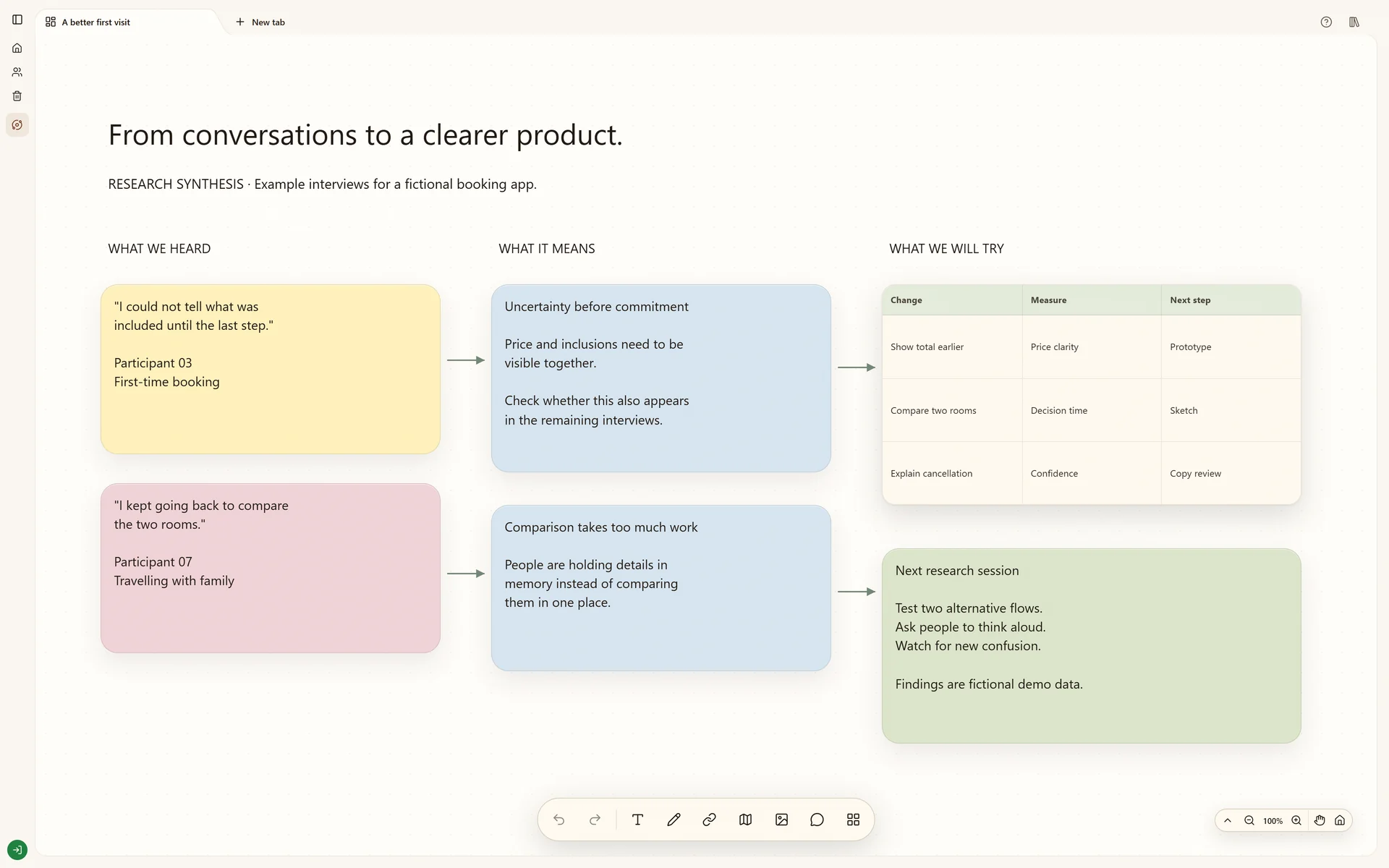
Architecture maps
Boxes and arrows that stay connected
Notes, text cards and connectors make a system map. Arrows stay attached when you move a card, so the map survives a refactor of the board.
See product team boardsUse case for developers
Software and engineering teams sketch architecture, plan features, collect RFC notes and run retros on one Stashiro canvas. Diagrams, screenshots, links to docs and decisions sit together, and your AI assistant can read the board through the Stashiro MCP server.
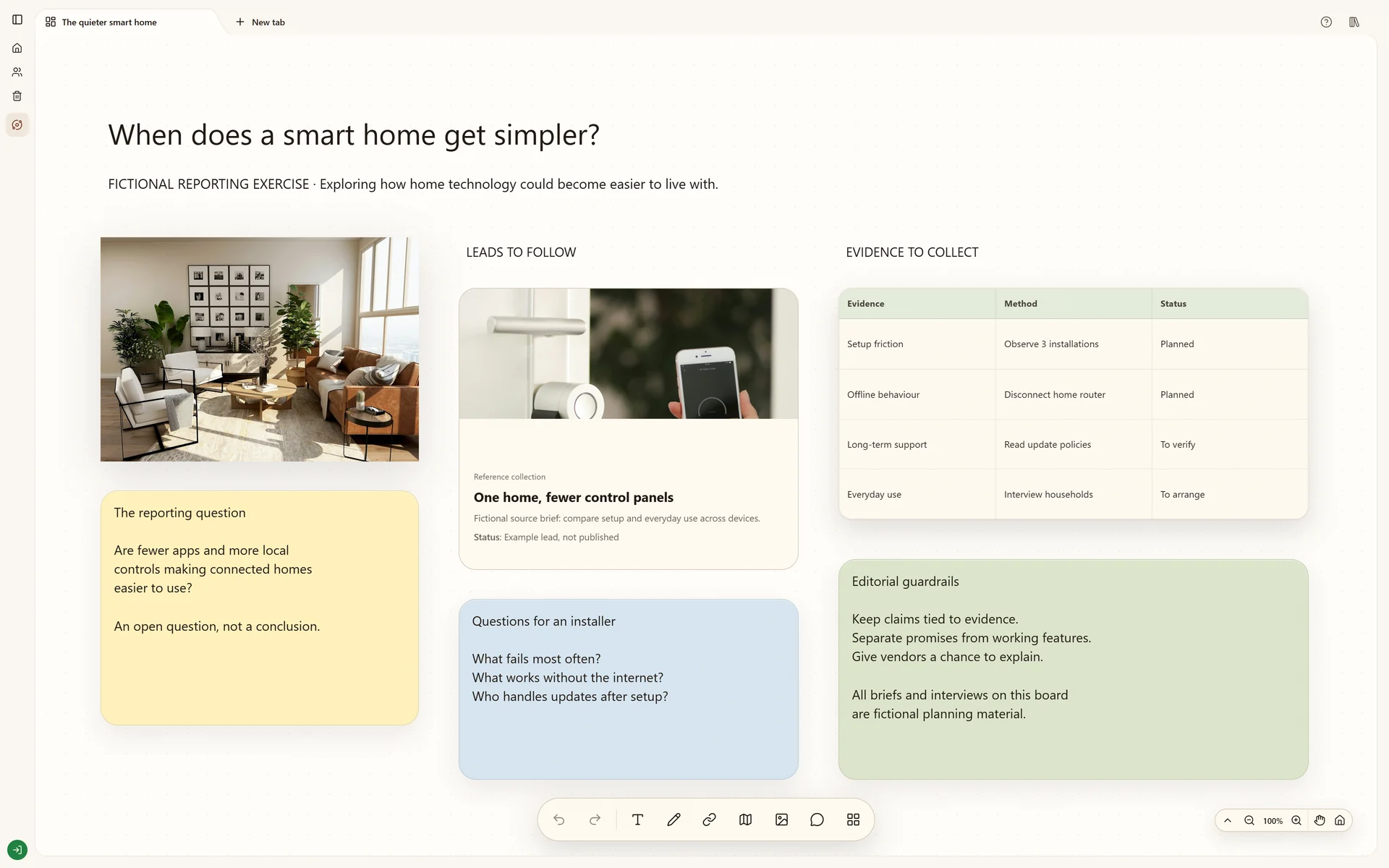
A visual planning board is a canvas where an engineering team maps systems, plans features and records decisions before and around the code. Stashiro is a visual board for that work: notes, links, screenshots, tables and connectors on an infinite canvas, with an MCP server so assistants like Claude can read and add to a board.
Stashiro is not a ticket database or a code tool. Keep issues in Jira, Linear or GitHub and code in your repository. The board is where the shape of the system and the reasons behind it stay visible.
Open a Space for the project. Add a card per service, store or client and connect them with arrows. Paste screenshots of logs or dashboards beside the part they show.
Put each design option on its own note with the trade-offs underneath. Link the docs, issues and pull requests that matter.
Group the chosen work into containers by milestone, with a table for owners and estimates. Mark open questions with a color.
Invite the team to view or edit the cloud board, and connect your AI assistant through MCP so it can read the plan while you code.
Architecture maps
Notes, text cards and connectors make a system map. Arrows stay attached when you move a card, so the map survives a refactor of the board.
See product team boardsYour AI, your board
Connect Claude, Cursor or another MCP client with OAuth. The assistant can read a board you name and add cards to it, within the permissions you approve.
See the MCP connectionCopy, then keep
The desktop app for Windows and Apple Silicon Macs keeps copied text, links and images. Send a useful snippet or screenshot to a board.
See the desktop appRetros and RFC notes
Run a retro with columns of notes, or keep an RFC's options and decision side by side. Comments sit beside the card they discuss.
See team boardsDiagrams
Turn a process into a flowchart or branch a design question into a mind map, with layouts that keep it tidy.
See flows for product teamsPlanning
Track the planning work itself as tickets with an owner and a due date, beside the map it belongs to.
See team planningMCP access is included from the Starter plan. Start free on a local board.
Free
No account. Boards stay in this browser until you transfer them.
4.79 EUR per month
Cloud boards without built-in AI.
8.99 EUR per month
Cloud boards with Stashiro AI.
10.99 EUR per month
Plus with more storage and AI credits.
Eligible new subscribers get a 14-day trial. Prices are shown in EUR; current prices, regional currencies and annual plans are on the pricing section.
Worked examples show the real Stashiro interface with fictional project data, and some include a starter board you can download and import. Templates open as a new board you can edit.
Sources, questions and connected research on one board.
Research notes, source material and product decisions on an evidence board.
Goals, capacity and the work for the next sprint.
What went well, what did not and what to change.
Themes and milestones across the next quarters.
Miro and FigJam have deeper diagramming and workshop tools, and Notion is better for long specs and wikis. None of them, Stashiro included, is an issue tracker. Here is where each one stands for engineering planning.
| Need | Stashiro | Miro | FigJam | Notion |
|---|---|---|---|---|
| Free-form canvas for images, links and notes | Yes | Yes | Yes | No |
| Works from ChatGPT or ClaudeAn app in the ChatGPT store and an MCP connection for Claude and other clients. | Yes | Yes | Yes | Yes |
| Save from a desktop clipboard historyDesktop app for Windows and Apple Silicon Macs, in beta. | Yes | No | No | No |
| Start a board without an accountLocal boards open in the browser and stay there until you transfer them. | Yes | No | No | No |
| Built-in AI that drafts or edits the workStashiro AI lays out and edits boards on Plus and Studio, with a preview before anything is applied. | Yes | Yes | Yes | Yes |
| Workshop tools such as timers and voting | No | Yes | Yes | No |
| Long documents and databasesDoc cards with a block editor, beside the board. | Partly | Partly | No | Yes |
| Large template libraryAbout 80 templates in 26 categories. | Partly | Yes | Yes | Yes |
| Native phone apps in the app storesStashiro runs in the phone browser, and the Telegram bot sends links, photos and voice notes to a board. | No | Yes | Partly | Yes |
Verdicts for other tools come from their official product, pricing and help pages. No means those pages do not describe the feature, not that we tested it. Each full comparison lists its sources.
Local boards are free and need no account: they stay in your browser. Cloud boards, sharing and the MCP connection need a paid plan, from 4.79 EUR per month for Starter. Stashiro AI is included on Plus and Studio.
No. It has no sprints, story points, releases or Git integration. Plan on the board, then move the agreed work into your tracker and link the issues from the cards.
Add the Stashiro MCP server URL in your client and sign in with OAuth. The client can then read boards you name and add cards, within the permissions you approve.
Yes. Use notes, text cards and connectors for boxes and arrows, and the pen tool for rough sketches. For strict UML or diagrams as code, a dedicated tool is a better fit.
You can paste text onto a note or text card and keep it beside the diagram. Cards do not highlight code syntax.
The web app runs in any modern browser, including on Linux. The desktop clipboard app is for Windows and Apple Silicon Macs only.
Open a local board in your browser now, or start a 14-day trial and connect your AI assistant.