Scene cards
Beats and scenes you can rearrange
Notes sit in columns you build yourself. Drag a scene from act two to act three and the rest of the board stays where it is.
See a planning boardUse case for writers
Novelists, screenwriters and nonfiction writers lay out scenes, characters and research on one Stashiro canvas. Every card can move, so you can try a new order for the second act in a minute instead of rewriting an outline document.
A story planning board is a visual outline where scenes, beats, characters and research sit as cards you can rearrange. Stashiro is a visual board for that work: an infinite canvas where notes, images, links and voice notes live side by side, with columns for acts, colors for storylines and connectors from each setup to its payoff.
The manuscript is written in your writing app. The board is where the structure gets worked out: what happens, in what order and who it happens to.
Open a Space for the book or script. Put the premise, the ending you are aiming for and the main character's want in one note at the top.
Make one note per scene or beat and arrange them in columns for acts or sequences. Use note colors for storylines or points of view.
Give characters and the world their own boards in the same Space, with reference images, voice notes and the facts you must not contradict.
Connect setups to payoffs with arrows, look for a storyline that goes quiet and drag scenes until the shape works.
Scene cards
Notes sit in columns you build yourself. Drag a scene from act two to act three and the rest of the board stays where it is.
See a planning boardBibles
Sibling boards in one Space hold the character bible, the world and the timeline, and a board card links to each one from the outline.
See how research is organizedResearch in place
Save articles and pages to the board. Search finds a source by a phrase inside the saved page, not just its title.
Organize research linksVoice notes
Record a voice note on the board, or send one from your phone through the Telegram bot. On Plus and Studio it is transcribed so search can find it.
See the Telegram botDocs beside the board
Doc cards hold a chapter or a treatment in a block editor, with comments, right next to the scene cards they come from.
See how students outline essaysOne Space per book or script. Outline on a free local board, and move to the cloud when beta readers join.
Free
No account. Boards stay in this browser until you transfer them.
4.79 EUR per month
Cloud boards without built-in AI.
8.99 EUR per month
Cloud boards with Stashiro AI.
10.99 EUR per month
Plus with more storage and AI credits.
Eligible new subscribers get a 14-day trial. Prices are shown in EUR; current prices, regional currencies and annual plans are on the pricing section.
Worked examples show the real Stashiro interface with fictional project data, and some include a starter board you can download and import. Templates open as a new board you can edit.
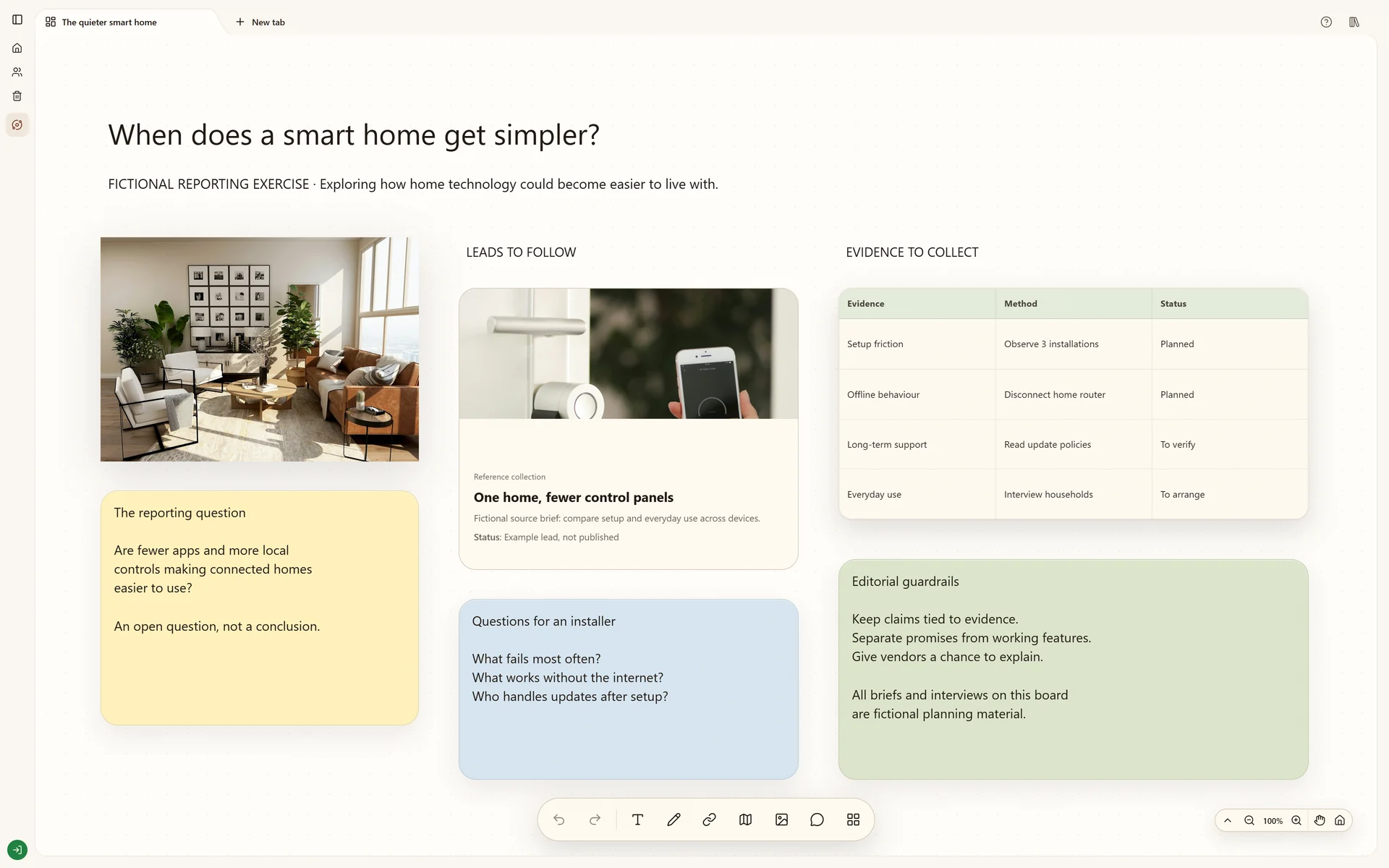
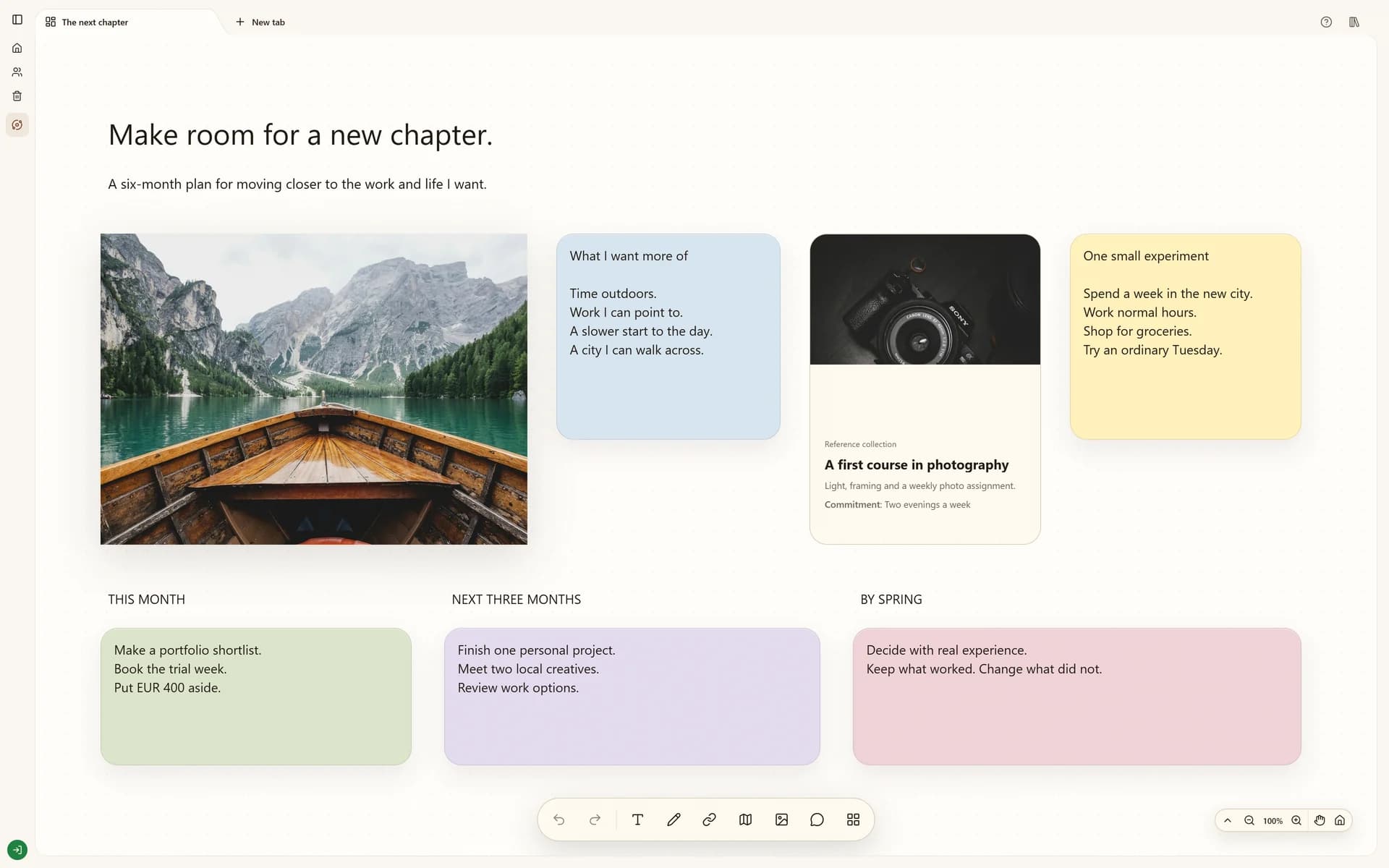
A planning board with options, references and next steps.
A reporting board with sources, quotes and an outline.
Acts, chapters and scenes as cards you can move.
Each character's want, history, voice and arc.
The beats of a story laid out in order.
Places, rules, history and factions of a world.
Milanote has writing templates and phone apps, Notion is stronger for long documents and databases, and Heptabase is built for linked notes. Here is how each one handles planning a story, including where Stashiro is not the best pick.
| Need | Stashiro | Milanote | Notion | Heptabase |
|---|---|---|---|---|
| Free-form canvas for images, links and notes | Yes | Yes | No | Yes |
| Built-in AI that drafts or edits the workStashiro AI lays out and edits boards on Plus and Studio, with a preview before anything is applied. | Yes | No | Yes | Yes |
| Start a board without an accountLocal boards open in the browser and stay there until you transfer them. | Yes | No | No | No |
| Save from a desktop clipboard historyDesktop app for Windows and Apple Silicon Macs, in beta. | Yes | No | No | No |
| Save web pages with a browser extensionChrome and Edge, on paid plans. | Yes | Yes | Yes | Yes |
| Long documents and databasesDoc cards with a block editor, beside the board. | Partly | Partly | Yes | Partly |
| Large template libraryAbout 80 templates in 26 categories. | Partly | Yes | Yes | Partly |
| Native phone apps in the app storesStashiro runs in the phone browser, and the Telegram bot sends links, photos and voice notes to a board. | No | Yes | Yes | Yes |
| Free cloud planFree boards stay in your browser. Cloud boards start at the Starter plan. | No | Yes | Yes | No |
Verdicts for other tools come from their official product, pricing and help pages. No means those pages do not describe the feature, not that we tested it. Each full comparison lists its sources.
Local boards are free and need no account: they stay in your browser. Cloud boards, sharing with beta readers and Stashiro AI need a paid plan, from 4.79 EUR per month for Starter. AI is included on Plus and Studio.
It is not a manuscript editor and does not format screenplays. Draft in Scrivener, Word, Final Draft or the app you like, and use the board for structure, characters and research.
No, and it is not meant to. On Plus and Studio it can lay out an outline from a premise, summarize your research or suggest where a storyline goes quiet. You write the story.
As many as it has scenes. A feature screenplay often has forty to sixty, a novel more. Start with the scenes you know and leave gaps as empty notes, so the holes are visible.
Yes. Put each on a sibling board in the same Space and link them from the outline with a board card. Everything stays one click away without crowding the outline.
Yes, as editors. Invite them to a cloud board as editors to comment next to the scene they mean, or as viewers to read without changing anything. Viewers sign in with a free account to see the board; editors need a paid plan to add cards and comments.
You can export a board as a file and import it again, locally or into a cloud account. For a manuscript, copy the text into your writing app.
Yes. Doc cards hold long-form text in a block editor with comments, next to the scene cards. Use them for a treatment or a chapter draft; your manuscript still belongs in your writing app.
Yes, when the board owner turns on comments for viewers. Their comments sit next to the card they are about, and the owner can turn the option off again.
Open a local board in your browser now, or start a 14-day trial when your readers join.