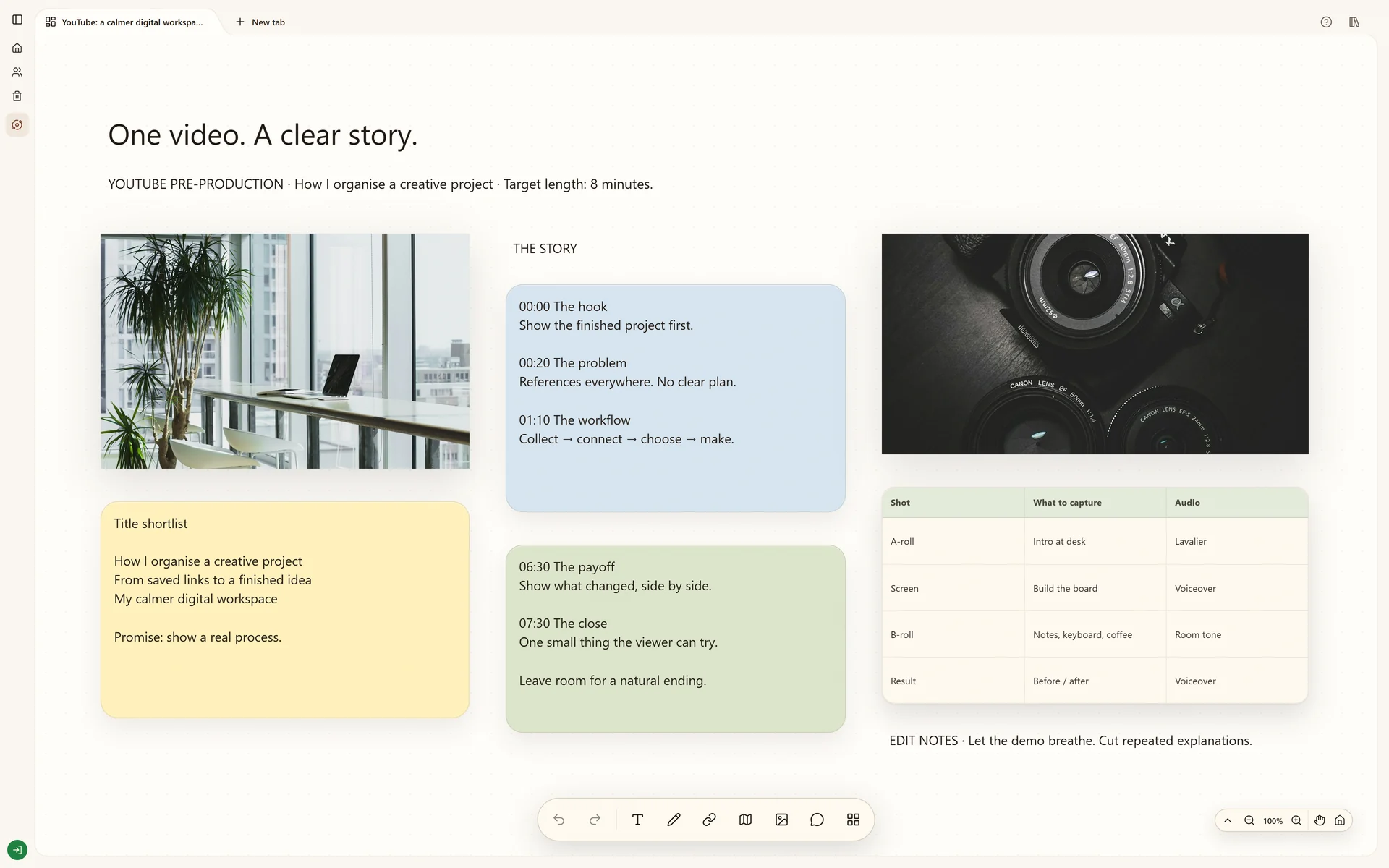
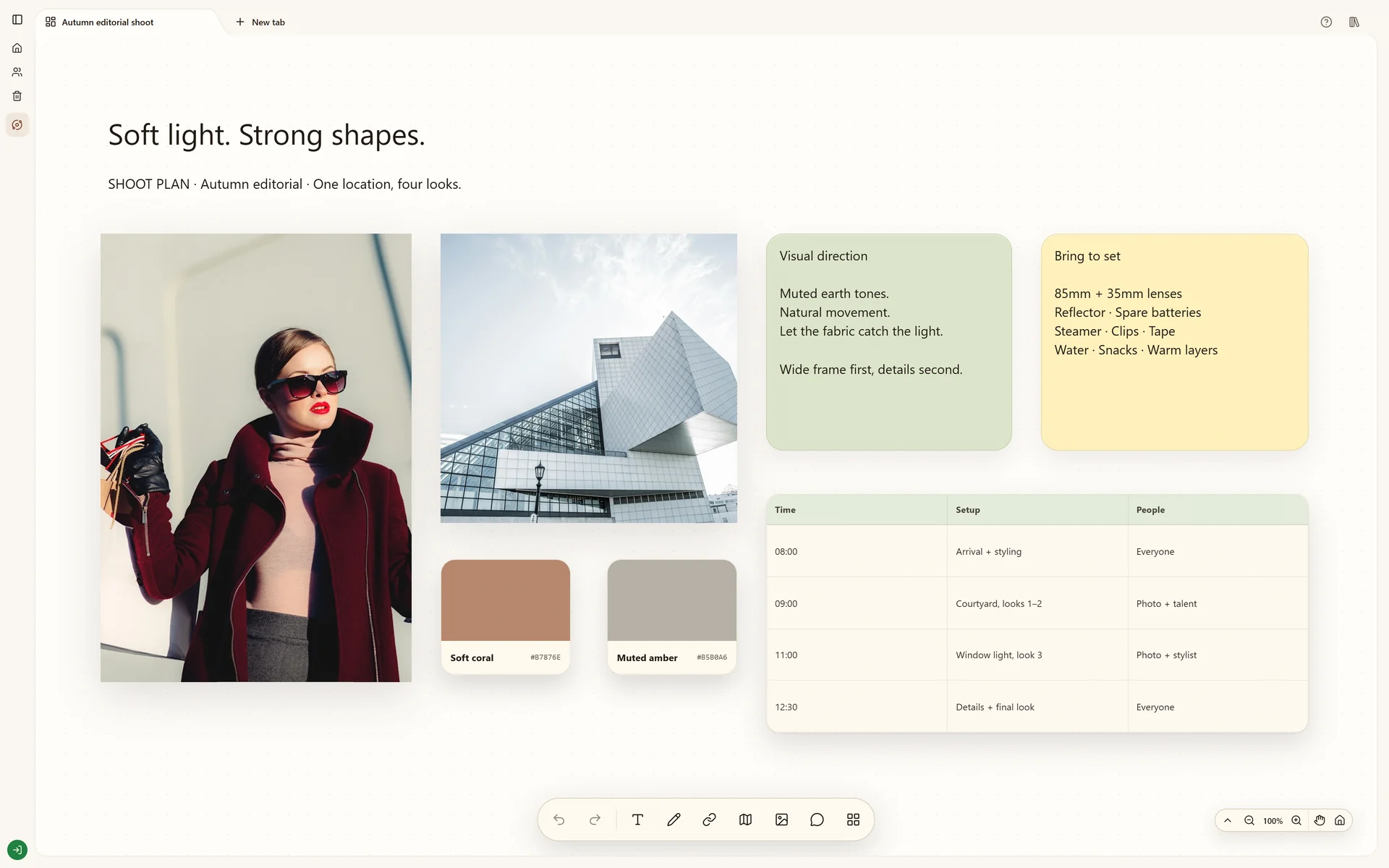
A pre-production board where the film takes shape before the shoot.
Directors, DPs and producers keep the references, the storyboard, the shot list and the shoot plan on one Stashiro canvas. Every decision sits beside the image or note that explains it, so the crew reads the same plan you do.
The real Stashiro interface with illustrative project data.
What is a pre-production board for filmmakers?
A pre-production board is one place where a film's references, storyboard, shot list, locations and schedule live together before the shoot. Stashiro is a visual board for that work: an infinite canvas where images, links, notes, tables, maps and drawings sit side by side, grouped into Spaces per project and shared with the crew.
Scripts are written in a screenwriting app and footage is cut in an editor. The board is the planning layer between them: it holds the look, the coverage and the logistics, and it keeps the reason for each choice next to the choice itself.
From a script to a shoot day in four steps
01
Open a Space for the film
Create a Space with sibling boards for the look, the storyboard and the shoot plan. Paste a link to the script PDF and the treatment, then add the first references.
02
Collect the look
Save stills, YouTube references and location photos to the board. Group them by scene or mood and write one line under each group about what to take from it.
03
Turn scenes into shots
Lay storyboard frames out in shooting order with lens, movement and sound notes underneath. Keep the shot list in a table beside the frames it describes.
04
Share the plan with the crew
Invite the DP, the producer and the art department to view, add sources or edit. Comments stay on the frame or location they are about.
The whole production binder, on one canvas.
References that explain themselves
A look board the crew can follow
Images, links and notes sit wherever you place them. Put a reference beside the scene it informs and connect two cards with an arrow when one choice depends on another.
Worked examples show the real Stashiro interface with fictional project data, and some include a starter board you can download and import. Templates open as a new board you can edit.
Call times, locations and contacts for one shoot day.
Stashiro vs Milanote, Miro and Storyflow
Milanote and Miro are strong canvases with phone apps and free plans, and Storyflow has dedicated film workflows. Here is where each one stands for pre-production, including the rows where Stashiro is not the best pick.
Need
Stashiro
Milanote
Miro
Storyflow
Free-form canvas for images, links and notes
Yes
Yes
Yes
Yes
Built-in AI that drafts or edits the workStashiro AI lays out and edits boards on Plus and Studio, with a preview before anything is applied.
Yes
No
Yes
Yes
Map cards with stops and routes
Yes
No
No
No
Start a board without an accountLocal boards open in the browser and stay there until you transfer them.
Yes
No
No
No
Native phone apps in the app storesStashiro runs in the phone browser, and the Telegram bot sends links, photos and voice notes to a board.
No
Yes
Yes
No
Free cloud planFree boards stay in your browser. Cloud boards start at the Starter plan.
No
Yes
Yes
No
Large template libraryAbout 80 templates in 26 categories.
Partly
Yes
Yes
Yes
Tasks with an assignee and a due dateTo-do, ticket and kanban cards on the board.
Yes
Partly
Yes
Yes
View-only link that opens without an accountInvite people by email or link to view, add sources or edit a cloud board.
Yes
Yes
Yes
Yes
Verdicts for other tools come from their official product, pricing and help pages. No means those pages do not describe the feature, not that we tested it. Each full comparison lists its sources.
Local boards are free and need no account: they stay in your browser. Cloud boards, sharing with the crew and Stashiro AI need a paid plan, from 4.79 EUR per month for Starter. AI is included on Plus and Studio.
Can I write my screenplay in Stashiro?
No. Stashiro is not a screenwriting app and does not format scripts. Write in Final Draft, WriterDuet or Fade In, then link the script PDF and lay out the scenes you are planning on the board.
How do I build a storyboard on a board?
Place one image or drawing per frame in a row, add a note under each with the action, lens and sound, and group the frames of a scene in a container. Reorder frames by dragging. The pen tool works for rough sketches.
Can the crew see the plan without editing it?
Yes. Invite people to a cloud board as viewers, as contributors who can add sources, or as editors. Comments sit next to the frame or location they are about. Viewers sign in with a free account to see the board; editors need a paid plan to add cards and comments.
Does Stashiro generate storyboard images?
No. Stashiro does not generate images. Use your own sketches, frame grabs, photos and saved references. Stashiro AI writes and arranges cards; it does not draw.
Can I plan locations on a map?
Yes. Map cards show stops and routes. Add each location as a stop, compare routes for a company move and keep the scouting photos beside the map.
Can I grab a still from a reference video?
Yes. Upload the clip as a video card, pause on the frame you want and use Frame Grab to place it on the board as an image card. It works on video files, not on YouTube or Vimeo embeds.