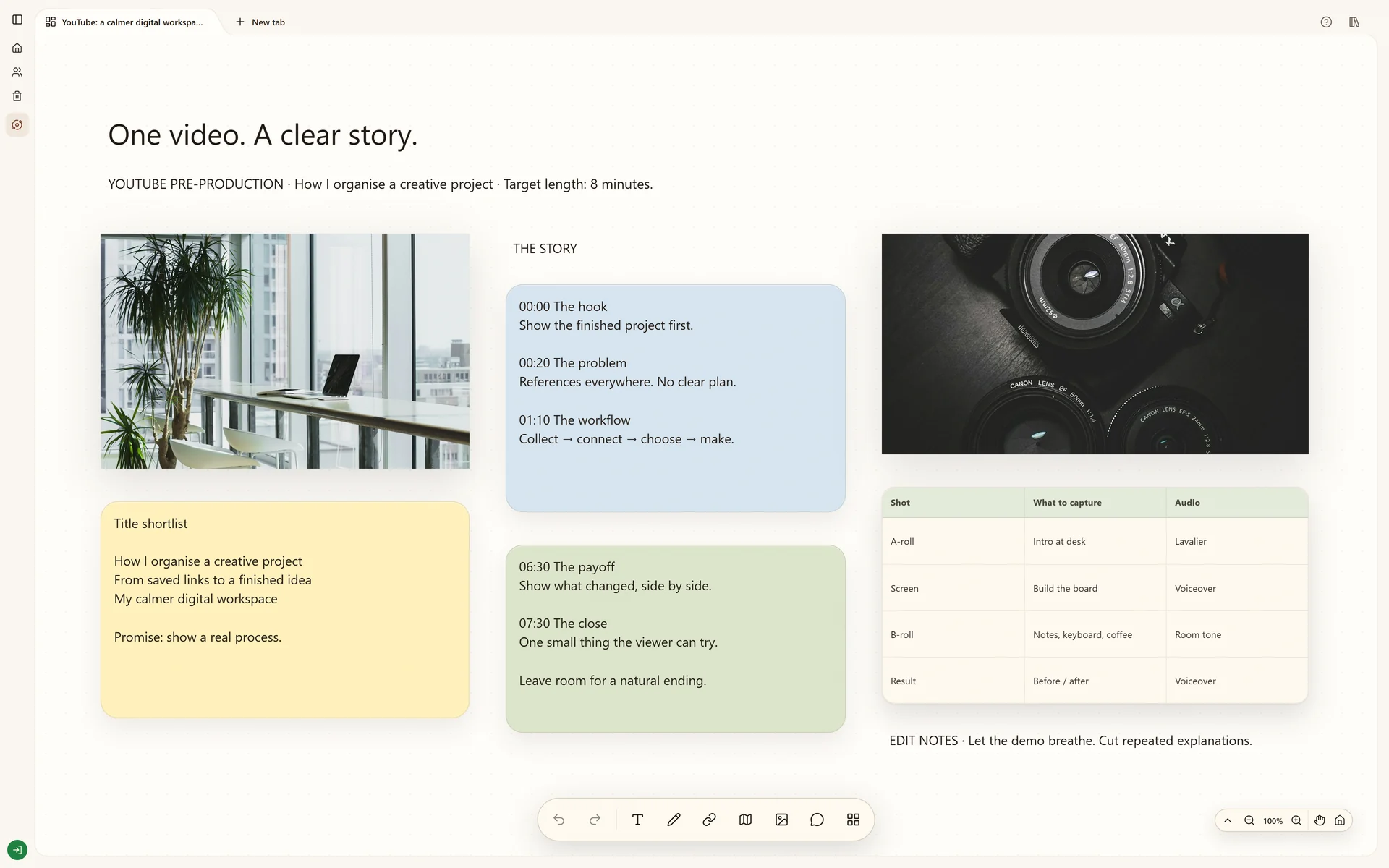
Idea wall
Hooks, titles and angles in one view
Notes, links and images sit wherever you place them. Group ideas by pillar and keep the ones you are not ready for instead of losing them.
See the content calendar exampleUse case for content creators
YouTubers and content teams keep the idea, the research, the script and the shot list for each video on one Stashiro canvas. The calendar sits beside the work it schedules, so nothing gets filmed without a hook and nothing gets lost after.
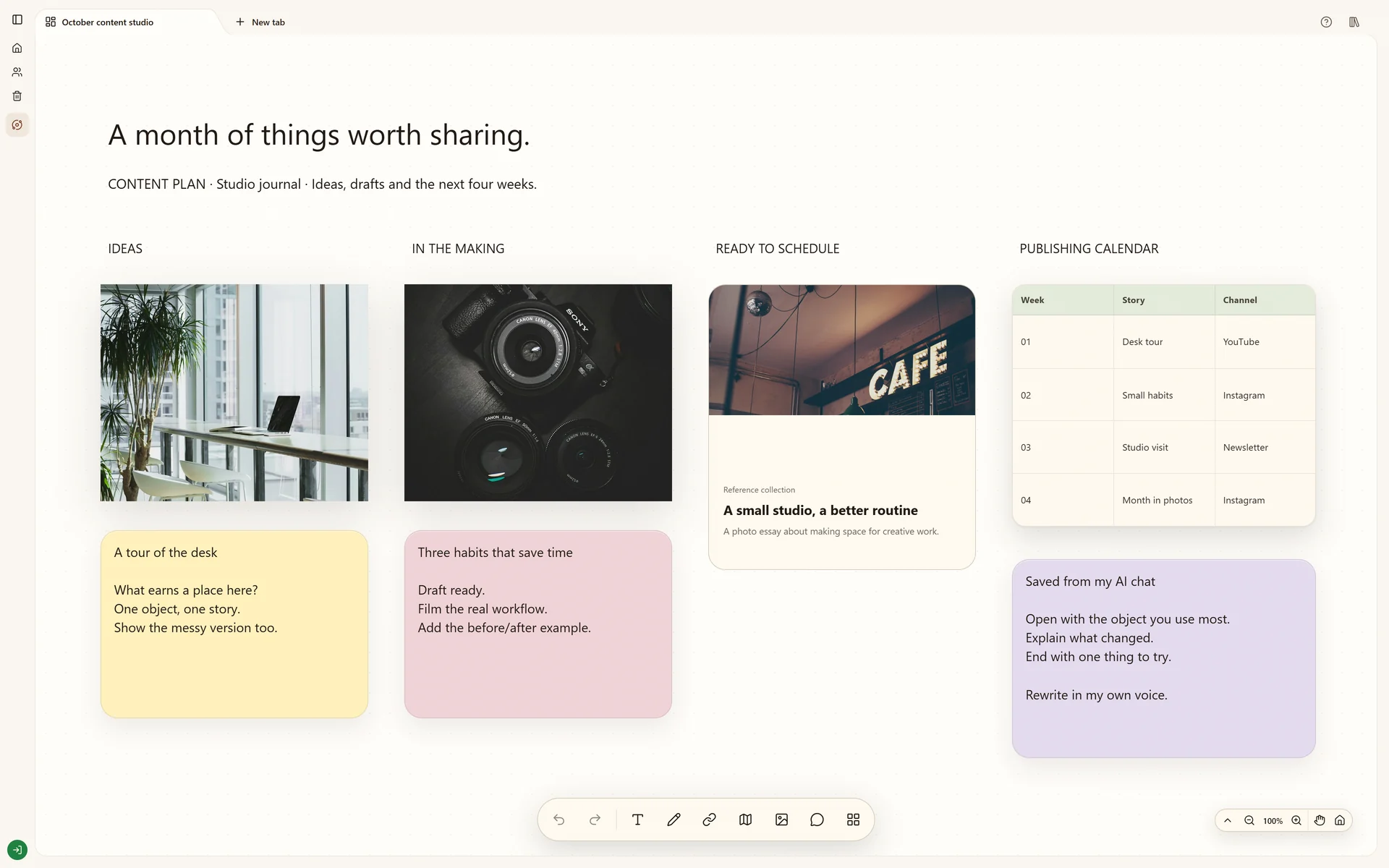
A content planning board is one place where a creator's ideas, hooks, scripts, shot lists and publishing calendar live together before anything is filmed. Stashiro is a visual board for that work: an infinite canvas where video links, notes, images, tables and voice notes sit side by side, with one board per video and a Space per channel.
Editing, thumbnails and posting happen in the tools built for them. The board is the planning half: it decides what gets made, in what order and with which references.
Open a Space for the channel and a board for ideas. Drop in links, screenshots and voice notes as they come, and group them under your content pillars.
For each idea worth making, write three title options and the hook in notes beside it. If the promise is weak, the idea stays on the wall.
Give the video its own board. Write the script in sections and place the B-roll references, clips and shot table next to the section they belong to.
Track each video in a table from idea to published, and invite your editor to the board so the script, the shots and the notes are already there.
Idea wall
Notes, links and images sit wherever you place them. Group ideas by pillar and keep the ones you are not ready for instead of losing them.
See the content calendar exampleSave from the platforms
Paste a YouTube, Instagram or X link and the board shows a playable or embedded preview. The Chrome extension saves the page you are on to a board's queue.
See the Chrome extensionScript and shots
Keep each script section next to the references, the shot table and the voice notes that go with it, inside a container you can move as one block.
See the video plan exampleAI that reads your board
On Plus and Studio, describe the video and Stashiro AI proposes cards on the canvas: title options, a hook, an outline. Nothing is added until you apply it.
See Stashiro AIIdea to published
Each video becomes a ticket with an owner and a due date, moving across a kanban from idea to published next to the plan.
See how marketers plan campaignsFrame Grab
Upload a video file, scrub to the moment and grab it as an image card for the thumbnail brief. YouTube and other embedded players cannot be grabbed.
Plan a YouTube videoOne board per video, one Space per channel. Plan on a free local board, and move to the cloud when your editor joins.
Free
No account. Boards stay in this browser until you transfer them.
4.79 EUR per month
Cloud boards without built-in AI.
8.99 EUR per month
Cloud boards with Stashiro AI.
10.99 EUR per month
Plus with more storage and AI credits.
Eligible new subscribers get a 14-day trial. Prices are shown in EUR; current prices, regional currencies and annual plans are on the pricing section.
Worked examples show the real Stashiro interface with fictional project data, and some include a starter board you can download and import. Templates open as a new board you can edit.
A video plan from the idea to the script and the shots.
A month of posts with the idea, format and status of each.
Title options, hook, outline, script and shots for one video.
Pillars, series and an idea bank for the channel.
A run of short videos with hooks and a posting schedule.
Notion is better for custom databases and long documents, Canva designs thumbnails and edits video, and Milanote has phone apps and a free plan. Here is where each one stands for planning content, including the rows Stashiro does not win.
| Need | Stashiro | Notion | Canva | Milanote |
|---|---|---|---|---|
| Free-form canvas for images, links and notes | Yes | No | Yes | Yes |
| Save web pages with a browser extensionChrome and Edge, on paid plans. | Yes | Yes | No | Yes |
| Built-in AI that drafts or edits the workStashiro AI lays out and edits boards on Plus and Studio, with a preview before anything is applied. | Yes | Yes | Yes | No |
| Works from ChatGPT or ClaudeAn app in the ChatGPT store and an MCP connection for Claude and other clients. | Yes | Yes | Yes | No |
| Start a board without an accountLocal boards open in the browser and stay there until you transfer them. | Yes | No | No | No |
| Native phone apps in the app storesStashiro runs in the phone browser, and the Telegram bot sends links, photos and voice notes to a board. | No | Yes | Yes | Yes |
| Free cloud planFree boards stay in your browser. Cloud boards start at the Starter plan. | No | Yes | Yes | Yes |
| Finished graphic design and layoutsPosters, social posts and carousels laid out from the board, editable by hand. | Partly | No | Yes | No |
| Edits video | No | No | Yes | No |
Verdicts for other tools come from their official product, pricing and help pages. No means those pages do not describe the feature, not that we tested it. Each full comparison lists its sources.
Local boards are free and need no account: they stay in your browser. Cloud boards, sharing with an editor and Stashiro AI need a paid plan, from 4.79 EUR per month for Starter. AI is included on Plus and Studio.
It does not edit video, design finished thumbnails or post to YouTube, TikTok or Instagram. Edit in your video editor, design in your design tool and publish from the platform or a scheduler. Stashiro is where the plan lives.
Yes. The idea wall and each script can sit on the same canvas, or on sibling boards in one Space. An idea becomes a hook, an outline and a script without moving apps.
Yes. Paste a YouTube, Instagram or X link and the board shows its preview. Saving a link is for reference: it does not give you the right to reuse someone else's content.
Invite your editor to the cloud board as an editor or as a contributor who can add sources. Put the script, the shot list and the must-keep moments beside each video, so the brief is on the board instead of in a chat.
Not a month grid. Plan dates in a table with one row per video and its status, or in a content calendar board laid out by week. If you need a month grid, keep it in your scheduler and plan the work here.
Yes. The Stashiro app in ChatGPT can find references on your cloud boards and save a selected result back as a card. Claude and other clients connect through MCP.
Yes. Turn each video into a ticket with an owner and a due date and move it across a kanban, on the same board as the plan.
Open a local board in your browser now, or start a 14-day trial when your editor joins.