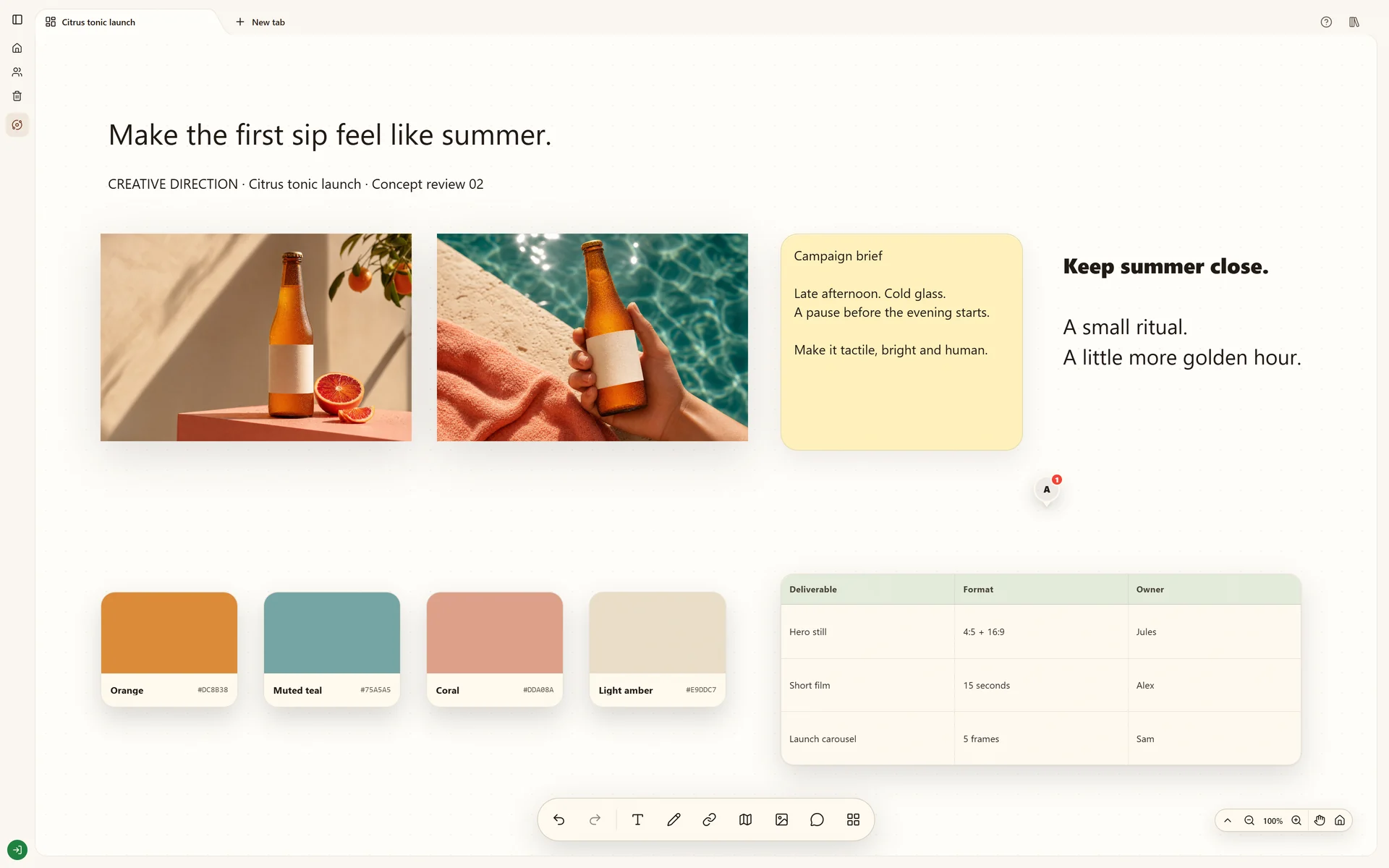
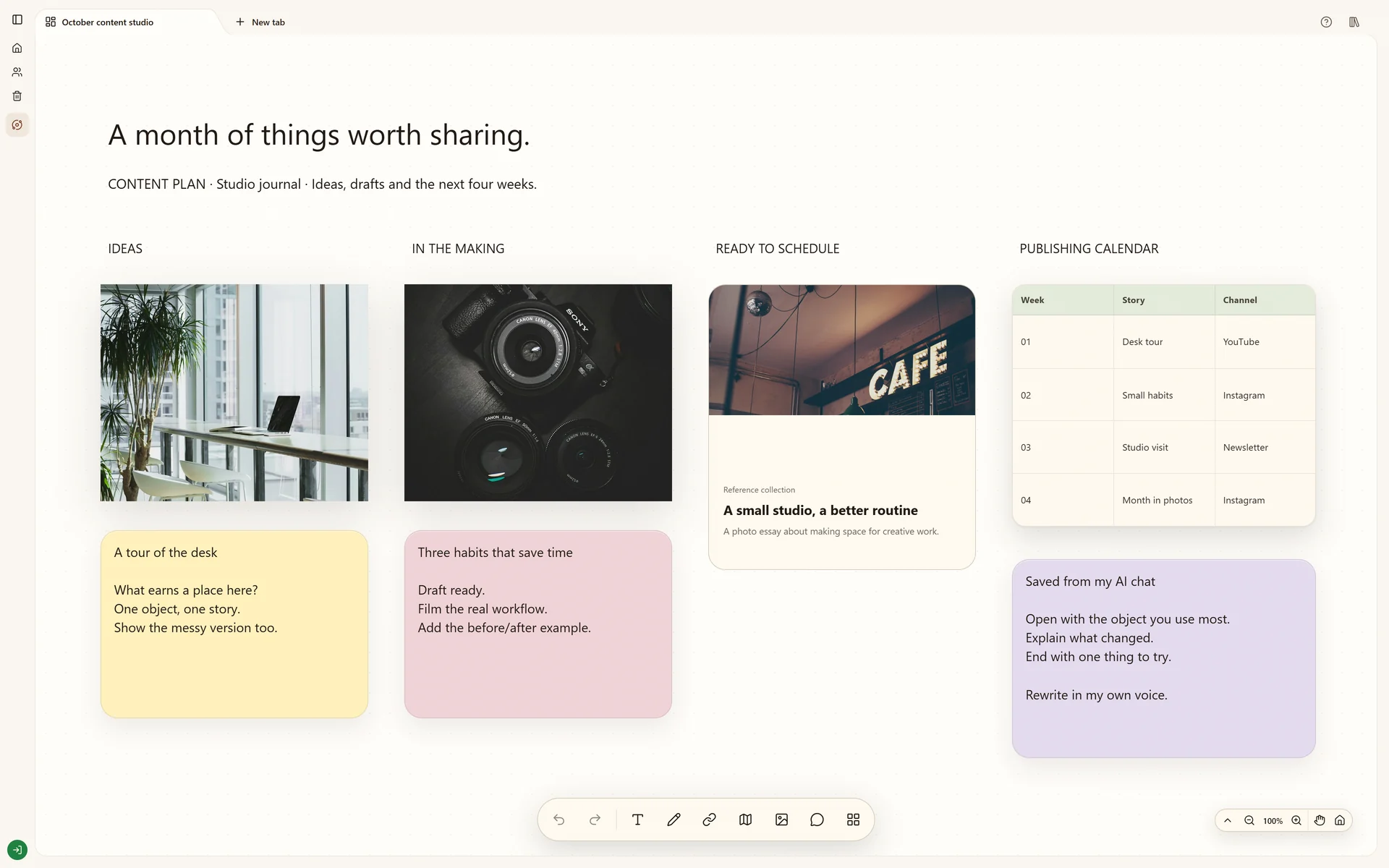
A campaign planning board where strategy, briefs and channels stay connected.
Marketers and growth teams keep the positioning, the brief, the channel plan and the competitor research on one Stashiro canvas. Strategy, briefs, channels and tasks sit on one board your AI and your team both read, so nobody re-explains the campaign.
The real Stashiro interface with illustrative project data.
What is a campaign planning board?
A campaign planning board is one shared place where a campaign's goal, audience, message, channels and schedule are laid out side by side. Stashiro is a visual board for that work: an infinite canvas where notes, links, images, tables and charts sit next to each other, grouped into Spaces per campaign and shared with your team.
Ads are built in the ad platforms and posts are scheduled in a scheduler. The board is the planning layer above them: it keeps the reasoning, the references and the decisions in view while the work moves through the channels.
From a goal to a launch plan in four steps
01
Write the goal and the audience
Open a Space for the campaign. Put the goal, the audience and the one message on notes at the top of the board, so every later card answers to them.
02
Collect proof and references
Save competitor ads, landing pages and social posts with the Chrome extension or by pasting links. Group them by angle and note what each one does well.
03
Lay out the channels
Give each channel a column with its posts, budget and dates in a table. Connect a channel card to the message it carries with an arrow.
04
Review it with the team
Invite your team to view, add sources or edit the cloud board. Comments stay beside the card they discuss, and live presence shows who is on the board.
The whole campaign, on one canvas.
Strategy beside the work
Positioning that every card can see
Keep the positioning, audience and message notes on the same board as the channel plan. Sibling boards in the Space hold research and creative without losing the link.
On Plus and Studio, describe the launch and Stashiro AI proposes a brief, channels and tasks as cards. Review the preview and apply only what you want.
Worked examples show the real Stashiro interface with fictional project data, and some include a starter board you can download and import. Templates open as a new board you can edit.
Who you sell to, what they need and where to reach them.
Stashiro vs Notion, Miro and Trello
Notion is better for long documents and databases, Miro has more workshop tools, and Trello is a mature task board with phone apps. Here is where each one stands for campaign planning, including the rows where Stashiro is not the best pick.
Need
Stashiro
Notion
Miro
Trello
Free-form canvas for images, links and notes
Yes
No
Yes
No
Built-in AI that drafts or edits the workStashiro AI lays out and edits boards on Plus and Studio, with a preview before anything is applied.
Yes
Yes
Yes
Yes
Works from ChatGPT or ClaudeAn app in the ChatGPT store and an MCP connection for Claude and other clients.
Yes
Yes
Yes
Yes
Save web pages with a browser extensionChrome and Edge, on paid plans.
Yes
Yes
Partly
Yes
Start a board without an accountLocal boards open in the browser and stay there until you transfer them.
Yes
No
No
No
Long documents and databasesDoc cards with a block editor, beside the board.
Partly
Yes
Partly
No
Tasks with an assignee and a due dateTo-do, ticket and kanban cards on the board.
Yes
Yes
Yes
Yes
Native phone apps in the app storesStashiro runs in the phone browser, and the Telegram bot sends links, photos and voice notes to a board.
No
Yes
Yes
Yes
Free cloud planFree boards stay in your browser. Cloud boards start at the Starter plan.
No
Yes
Yes
Yes
Verdicts for other tools come from their official product, pricing and help pages. No means those pages do not describe the feature, not that we tested it. Each full comparison lists its sources.
Local boards are free and need no account: they stay in your browser. Cloud boards, sharing with your team and Stashiro AI need a paid plan, from 4.79 EUR per month for Starter. AI is included on Plus and Studio.
Can Stashiro replace my project management tool?
Not for a large team. Stashiro is the planning layer where the strategy, the brief and the references live. Keep a tool like Asana or Jira when many people need workload views, approvals and reporting.
Does Stashiro publish or schedule posts?
No. Stashiro does not post to social networks or run ads. Plan the work on the board, then publish from the platform or your scheduler.
How do I collect competitor ads and landing pages?
Paste a link onto the board, or save the page with the Chrome or Edge extension on a paid plan. Saves go to the board's queue, ready to place. Social posts and YouTube videos show a rich preview.
Can my AI assistant read the campaign board?
Yes. With the Stashiro app in ChatGPT or an MCP connection in Claude, an assistant can read a board you name and add cards to it, within the permissions you approve.
Can I share the plan with leadership?
Yes. Invite people to a cloud board as viewers, as contributors who can add sources, or as editors. Comments sit beside the card they are about. Viewers sign in with a free account to see the board; editors need a paid plan to add cards and comments.
Does Stashiro AI make the creative for me?
Partly. Stashiro AI writes briefs, channel lists and tasks, and the design studio lays out posters, social posts and carousels from images and copy already on the board, which you edit by hand. It does not generate images or videos.
Can Stashiro AI research competitors on the web?
Yes. Turn on web search and Stashiro AI looks up the question, then proposes link cards, notes and a summary with every source cited.