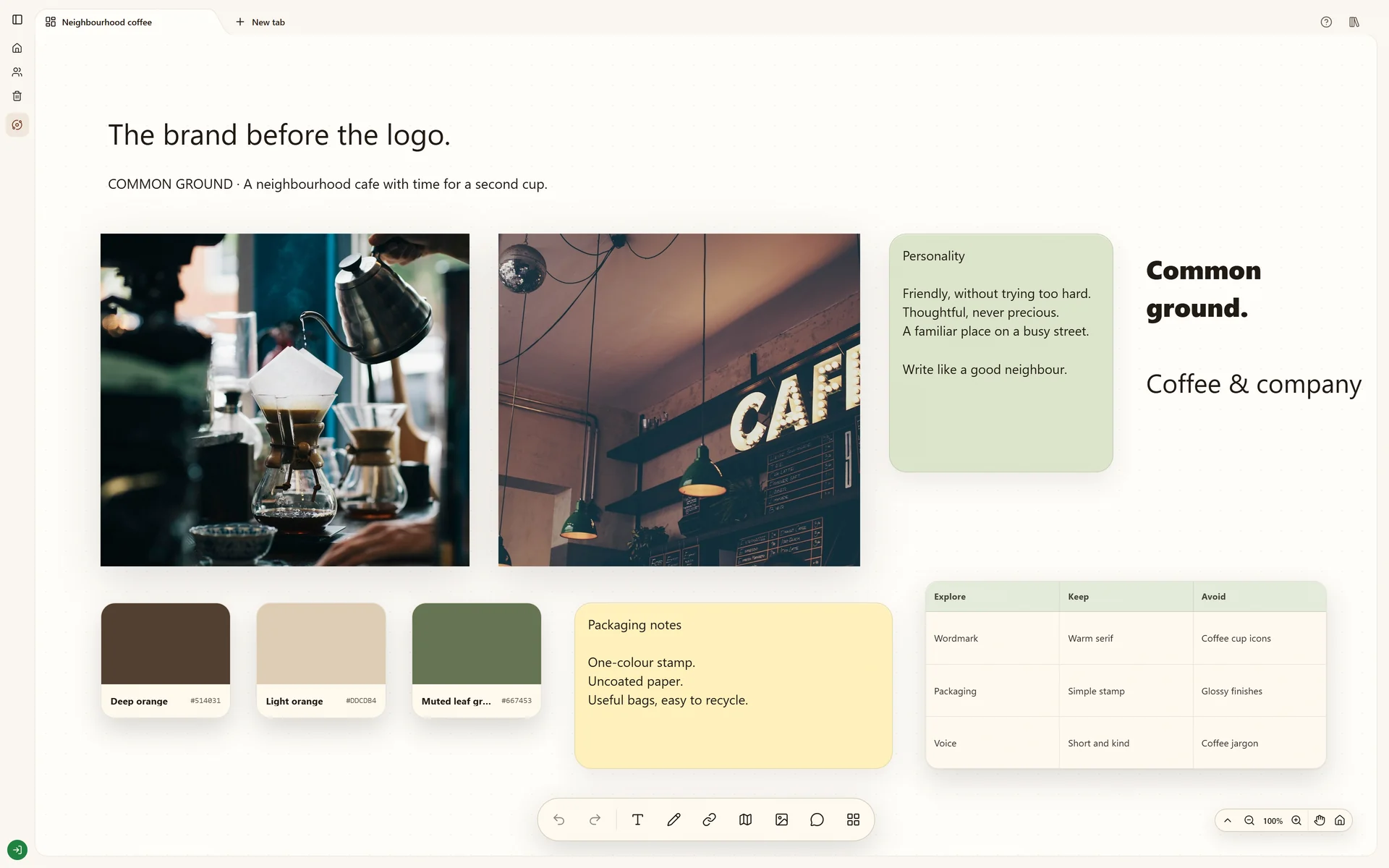
Compare outputs
Group results by model or concept
Images go anywhere on the canvas and resize freely. Lay them out in rows or grids to compare variations side by side.
See the moodboard makerUse case for AI creators
AI artists and generative creators collect their outputs from any tool on one Stashiro canvas, grouped by model, palette or concept. The prompt, the seed and the settings sit on a note beside each result, so a good result can be made again.
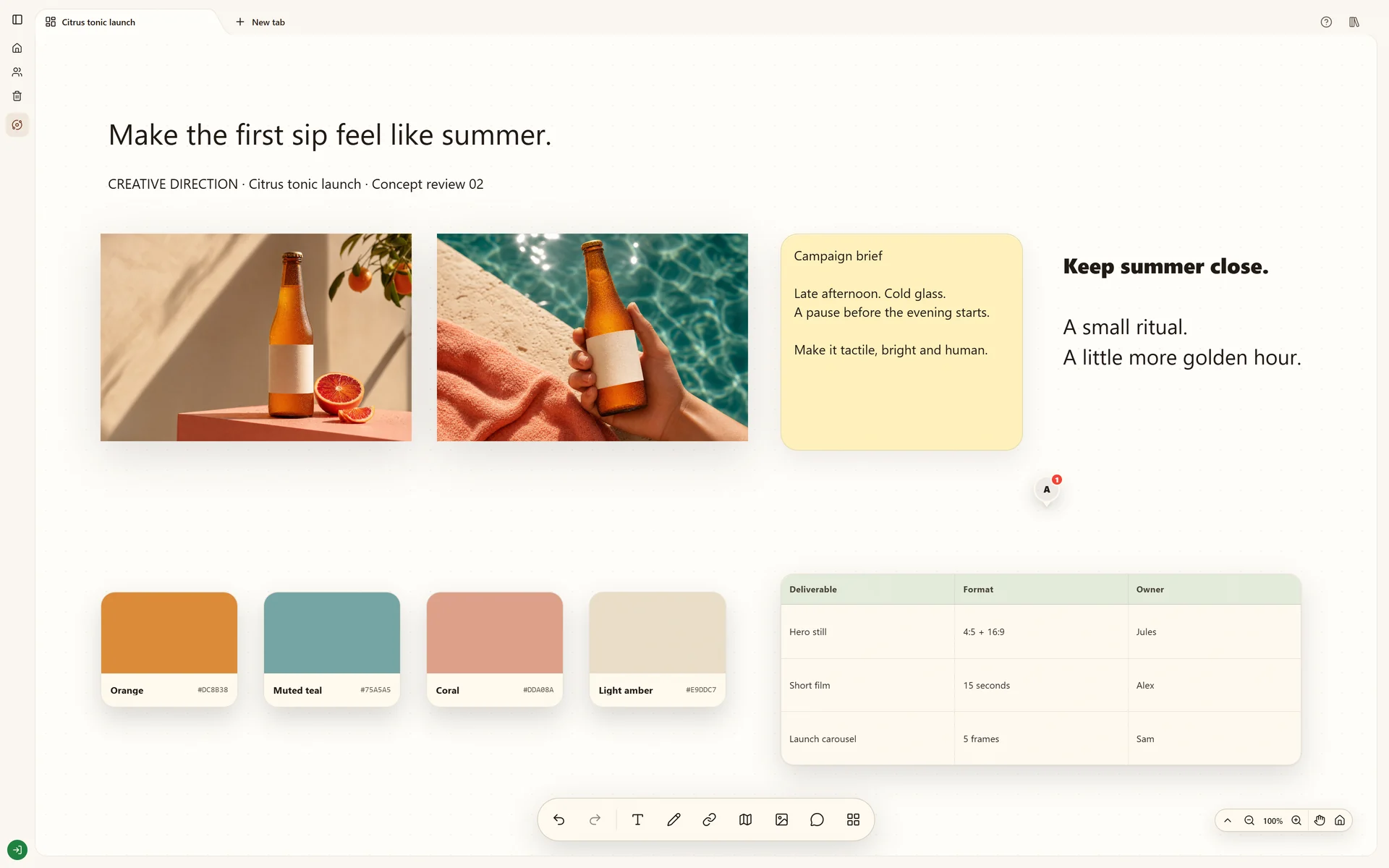
A prompt and generation board is a workspace where AI-generated images and videos are collected, compared and kept with the prompts and settings that produced them. Stashiro is a visual board for that work: an infinite canvas where your outputs, references and prompt notes sit side by side, grouped however you compare them.
Stashiro does not generate images. You make them in the tools you already use, then bring them to the board to sort, compare and decide.
Create a Space with sibling boards for references, generations and picks. Write the goal and the look you are after in a note.
Drop images onto the board, paste from your clipboard or save them from the browser. Group them in columns by model, palette or concept.
Put a note beside each strong result with the prompt, the seed, the model and the settings. Add a to-try list of variations.
Move the selected results to the picks board and invite collaborators to comment on them.
Compare outputs
Images go anywhere on the canvas and resize freely. Lay them out in rows or grids to compare variations side by side.
See the moodboard makerThe recipe
A note next to each image holds the prompt, seed and settings. Search finds a prompt by any word in it, across all your boards.
See the visual bookmark managerClipboard to board
The desktop clipboard app keeps copied text and images on Windows and Apple Silicon Macs and sends a chosen one to a board.
See the desktop appFind by what it shows
On Plus and Studio, Stashiro AI can describe images and add tags, so search finds a result by what is in it.
See Stashiro AIUse the board from your chat
Connect the Stashiro app in ChatGPT or an MCP client such as Claude to read a board's prompts and save a new prompt back as a note.
See the ChatGPT appOne Space per project. Collect on a free local board, and move to the cloud for storage and sync.
Free
No account. Boards stay in this browser until you transfer them.
4.79 EUR per month
Cloud boards without built-in AI.
8.99 EUR per month
Cloud boards with Stashiro AI.
10.99 EUR per month
Plus with more storage and AI credits.
Eligible new subscribers get a 14-day trial. Prices are shown in EUR; current prices, regional currencies and annual plans are on the pricing section.
Worked examples show the real Stashiro interface with fictional project data, and some include a starter board you can download and import. Templates open as a new board you can edit.
References grouped into directions with a brief.
A moodboard that turns references into a direction.
Prompts, references and outputs side by side.
Prompts that worked, sorted by use.
Are.na and Pinterest are better for discovering other people's work and have free plans, and Milanote has phone apps. Here is how each one handles collecting and comparing generations, including where Stashiro is not the best pick.
| Need | Stashiro | Are.na | Milanote | |
|---|---|---|---|---|
| Free-form canvas for images, links and notes | Yes | No | Partly | Yes |
| Save from a desktop clipboard historyDesktop app for Windows and Apple Silicon Macs, in beta. | Yes | No | No | No |
| Works from ChatGPT or ClaudeAn app in the ChatGPT store and an MCP connection for Claude and other clients. | Yes | No | No | No |
| Built-in AI that drafts or edits the workStashiro AI lays out and edits boards on Plus and Studio, with a preview before anything is applied. | Yes | No | Partly | No |
| Start a board without an accountLocal boards open in the browser and stay there until you transfer them. | Yes | No | No | No |
| Discover ideas from other people | No | Yes | Yes | No |
| Native phone apps in the app storesStashiro runs in the phone browser, and the Telegram bot sends links, photos and voice notes to a board. | No | Yes | Yes | Yes |
| Free cloud planFree boards stay in your browser. Cloud boards start at the Starter plan. | No | Yes | Yes | Yes |
Verdicts for other tools come from their official product, pricing and help pages. No means those pages do not describe the feature, not that we tested it. Each full comparison lists its sources.
Local boards are free and need no account: they stay in your browser. Cloud storage, sync and Stashiro AI need a paid plan, from 4.79 EUR per month for Starter. AI is included on Plus and Studio.
No. Stashiro does not generate images or video. Make them in the tools you already use and bring them to the board to compare, annotate and choose.
It does not generate, upscale or edit images, and it does not read the prompt from an image file automatically. Paste the prompt into a note beside the result so the recipe stays with it.
Put a note beside each result with the prompt, seed, model and settings. Search across boards finds a prompt by any word in it.
Yes. Paste an image with Ctrl+V or Cmd+V on the board. The desktop clipboard app also keeps copied images and sends a chosen one to a board.
Local boards use your browser's storage, up to 100 MB. Cloud plans include more storage: Starter, Plus and Studio each have their own limit, shown on the pricing section.
Yes. Move the picks to their own board and invite the client as a viewer. Viewers sign in with a free account to see the board; editors need a paid plan to add cards and comments.
Open a local board in your browser now, or start a 14-day trial for cloud storage and sync.