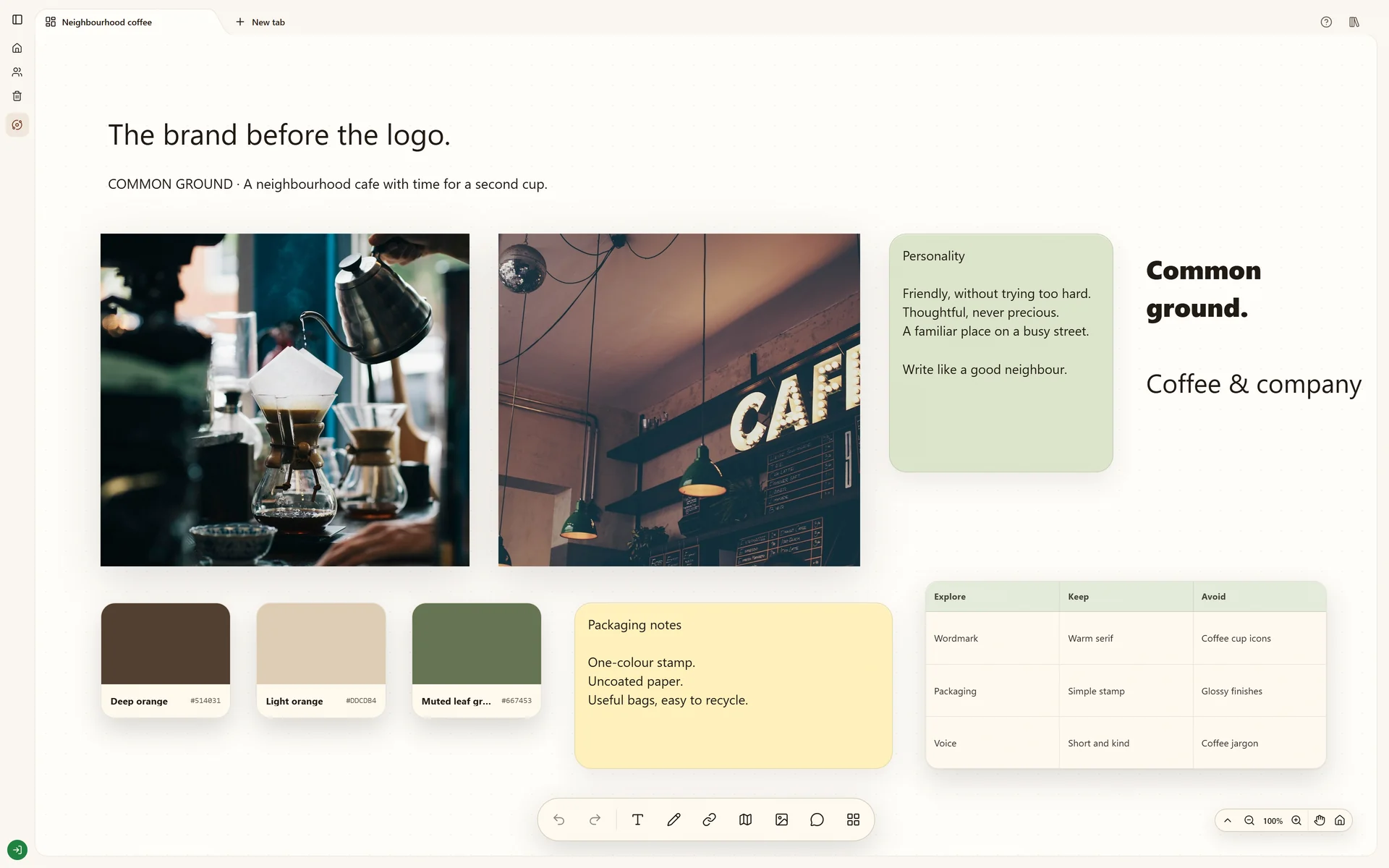
Structure, not a feed
Group references the way you think
Place references freely and group them in rows, columns, grids or folders by drop, fabric or silhouette. The order is yours, not an algorithm's.
See the moodboard makerUse case for fashion designers
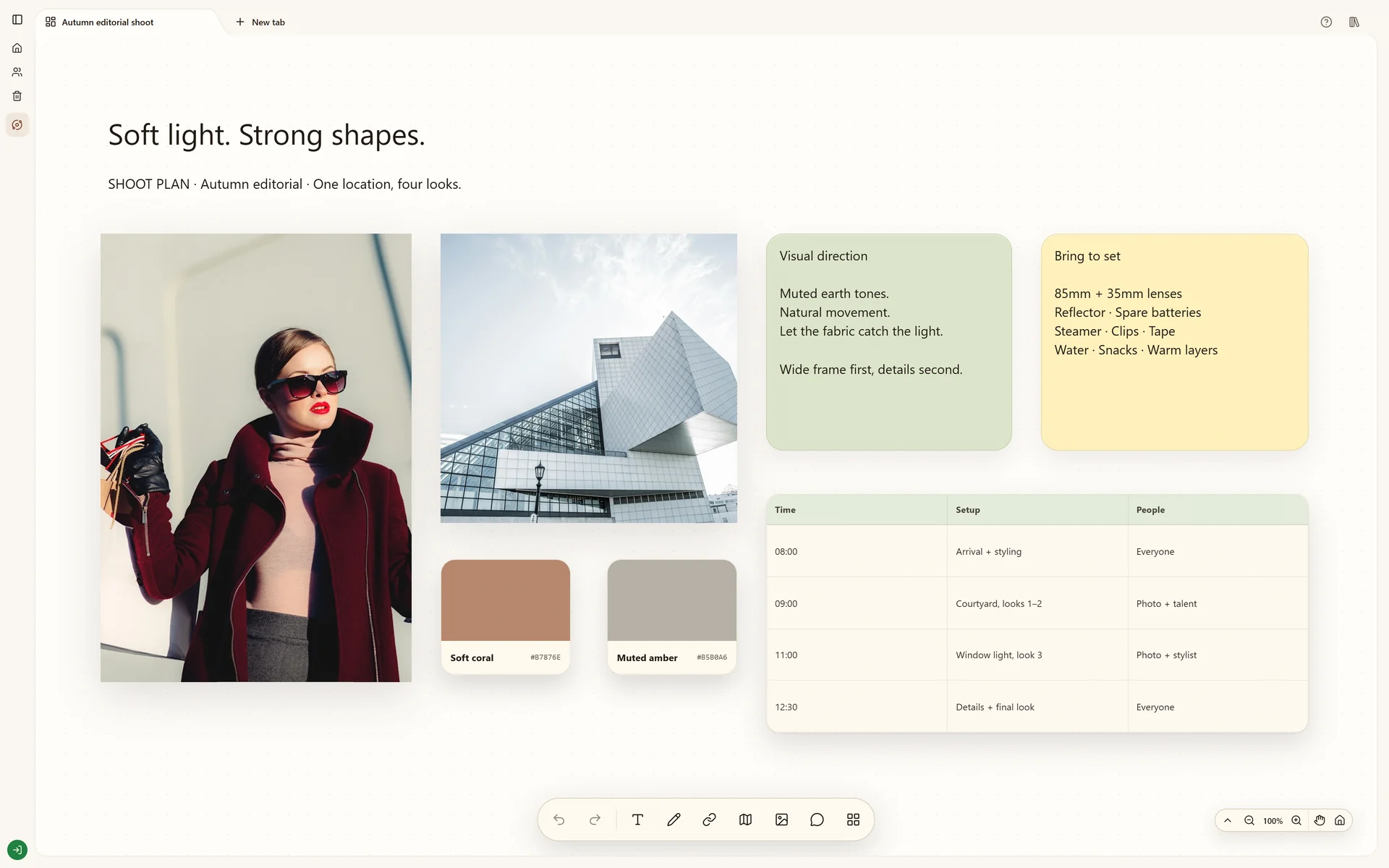
Fashion designers and stylists group references by drop, fabric or silhouette, keep product links with their prices, and plan each look for the shoot on one Stashiro canvas. The board grows from the first idea to the lookbook brief.
A collection moodboard is a board that holds the references, fabrics, colors and silhouettes behind a fashion collection, grouped so the direction of each drop is clear. Stashiro is a visual board for that work: an infinite canvas where images, product links, color swatches and notes sit together, structured the way you think instead of as a feed of pins.
Patterns, tech packs and samples are made in your design and production tools. The board keeps the creative reasoning and the shoot plan in one place.
Create a Space with sibling boards for inspiration, the line and the shoot. Write the story of the collection in a note at the top.
Save runway images, posts and shop pages, then group them by drop, fabric family or silhouette. Add color swatches for each group.
Give each look a container with its references, the pieces it uses and the product links for anything you are sourcing.
Move the looks into shoot order, add a table of what to pull, steam and return, and share the board with the stylist and photographer.
Structure, not a feed
Place references freely and group them in rows, columns, grids or folders by drop, fabric or silhouette. The order is yours, not an algorithm's.
See the moodboard makerProducts with prices
Paste an Amazon, AliExpress or Temu product link and the board shows the product image as a card, ready to compare with other options.
See shopping boardsPalette
Color cards sit beside the references they came from, so the palette of each drop is never separated from its source.
Create a moodboardShoot planning
Keep the look, its references and a pull list together, then share the board with the stylist and the photographer.
See shoot planning boardsSampling
Track samples, fittings and returns as to-dos with an owner and a due date, beside the look they belong to.
See production boardsOne Space per collection. Start on a free local board, and move to the cloud when the team joins.
Free
No account. Boards stay in this browser until you transfer them.
4.79 EUR per month
Cloud boards without built-in AI.
8.99 EUR per month
Cloud boards with Stashiro AI.
10.99 EUR per month
Plus with more storage and AI credits.
Eligible new subscribers get a 14-day trial. Prices are shown in EUR; current prices, regional currencies and annual plans are on the pricing section.
Worked examples show the real Stashiro interface with fictional project data, and some include a starter board you can download and import. Templates open as a new board you can edit.
Looks, styling references, a shot table and the run of the day.
A moodboard that turns references into a direction.
References grouped by color, texture and silhouette.
Drops, pieces and the story of the collection.
Looks in shoot order with styling and shot notes.
Pinterest is unbeatable for discovering looks, Milanote has templates and phone apps, and Canva makes finished lookbook layouts. Here is how each one handles planning a collection, including where Stashiro is not the best pick.
| Need | Stashiro | Milanote | Canva | |
|---|---|---|---|---|
| Free-form canvas for images, links and notes | Yes | Partly | Yes | Yes |
| Save web pages with a browser extensionChrome and Edge, on paid plans. | Yes | Yes | Yes | No |
| Built-in AI that drafts or edits the workStashiro AI lays out and edits boards on Plus and Studio, with a preview before anything is applied. | Yes | Partly | No | Yes |
| Start a board without an accountLocal boards open in the browser and stay there until you transfer them. | Yes | No | No | No |
| Discover ideas from other people | No | Yes | No | No |
| Native phone apps in the app storesStashiro runs in the phone browser, and the Telegram bot sends links, photos and voice notes to a board. | No | Yes | Yes | Yes |
| Finished graphic design and layoutsPosters, social posts and carousels laid out from the board, editable by hand. | Partly | No | No | Yes |
| Free cloud planFree boards stay in your browser. Cloud boards start at the Starter plan. | No | Yes | Yes | Yes |
Verdicts for other tools come from their official product, pricing and help pages. No means those pages do not describe the feature, not that we tested it. Each full comparison lists its sources.
Local boards are free and need no account: they stay in your browser. Cloud boards, sharing with the team and Stashiro AI need a paid plan, from 4.79 EUR per month for Starter. AI is included on Plus and Studio.
It does not make patterns, tech packs or line sheets, and it does not generate images. It can turn a board into an editable lookbook document, but it is not a layout tool. Use your design and production tools for those, and plan the collection on the board.
Pinterest is a feed for discovering ideas. A Stashiro board is a canvas you structure: you place each reference, group it by drop or fabric, add notes and swatches and plan the looks next to it.
Yes. Paste a Pinterest or Instagram link and the board shows the preview. Saving a link does not give you rights to reuse the image.
Yes. Product links from Amazon, AliExpress and Temu show as product cards with the main product image. Put them side by side with a note on price and fit.
Yes. Invite them to a cloud board as viewers, as contributors who can add sources, or as editors. Comments sit next to the look they are about. Viewers sign in with a free account to see the board; editors need a paid plan to add cards and comments.
Photograph your swatches and add them as images, and use color swatch cards for the palette. Write the fabric details in a note under each one.
Open a local board in your browser now, or start a 14-day trial when the team joins.