
Skip to contentStashiro  Week 4, 19 to 25 April
Green city: Earth Day, balcony plants, carnations.What March taught us
Reels of plant rescues got 3 times the reach of product shots. The ThMother's Day, Sun 2 May
Gift wrap and card service, orders by Thu 29 April for delivery inWeek 5, 26 to 30 April
Gifts for Mother's Day on 2 May.
 CalendarChannel mixDateChannelFormatTopicOwnerStatusStatus key
Planned: topic agreed
Draft: copy written
Ready: copy and visuals approved
Sche
 Content calendar: board example

Marketing template
Content Calendar template
A month of posts by date, channel, format, owner and status, with weekly themes, campaign moments and assets.
Week 4, 19 to 25 April
Green city: Earth Day, balcony plants, carnations.What March taught us
Reels of plant rescues got 3 times the reach of product shots. The ThMother's Day, Sun 2 May
Gift wrap and card service, orders by Thu 29 April for delivery inWeek 5, 26 to 30 April
Gifts for Mother's Day on 2 May.CalendarChannel mixDateChannelFormatTopicOwnerStatusStatus key
Planned: topic agreed
Draft: copy written
Ready: copy and visuals approved
ScheWhat is a content calendar template?
The Content Calendar template plans a month of publishing on one board. A calendar table lists every post by date, channel, format, owner and status, and around it sit the monthly focus, a theme for each week, the campaign moments you are building towards and the assets that need to be ready, so the whole team can see what goes out and what is still missing.
It is built for marketers, small business owners, social media managers and content teams who publish across several channels. It works for a founder running social alone and for a team of three sharing a newsletter, a blog and two social accounts.
The worked example plans April 2027 for a plant shop in Lisbon's Alfama district, built around a spring repotting weekend, Earth Day and the 25 April holiday. Keep the example to see how each section is filled, or start from the empty structure.
What is inside
- Month overview3 notes
- Themes by week5 notes
- Campaign moments4 notes
- Assets1 checklist, 2 pictures
- Calendar1 table
- Channel mix1 chart, 1 note
How to use the Content Calendar template
Step 1
Write the focus of the month and the channels with their owners in the overview column.
Step 2
Give each week a theme so the posts across channels tell one story.
Step 3
Add the campaign moments, holidays and launches you want to build towards.
Step 4
Fill the calendar table with every post by date, channel, format, topic and owner, and keep the status up to date.
Step 5
Tick off the assets as photos, videos and copy are ready, and check the chart to balance your channels.
Step 6
Share the board with everyone who publishes and review it every Monday.
See a finished board
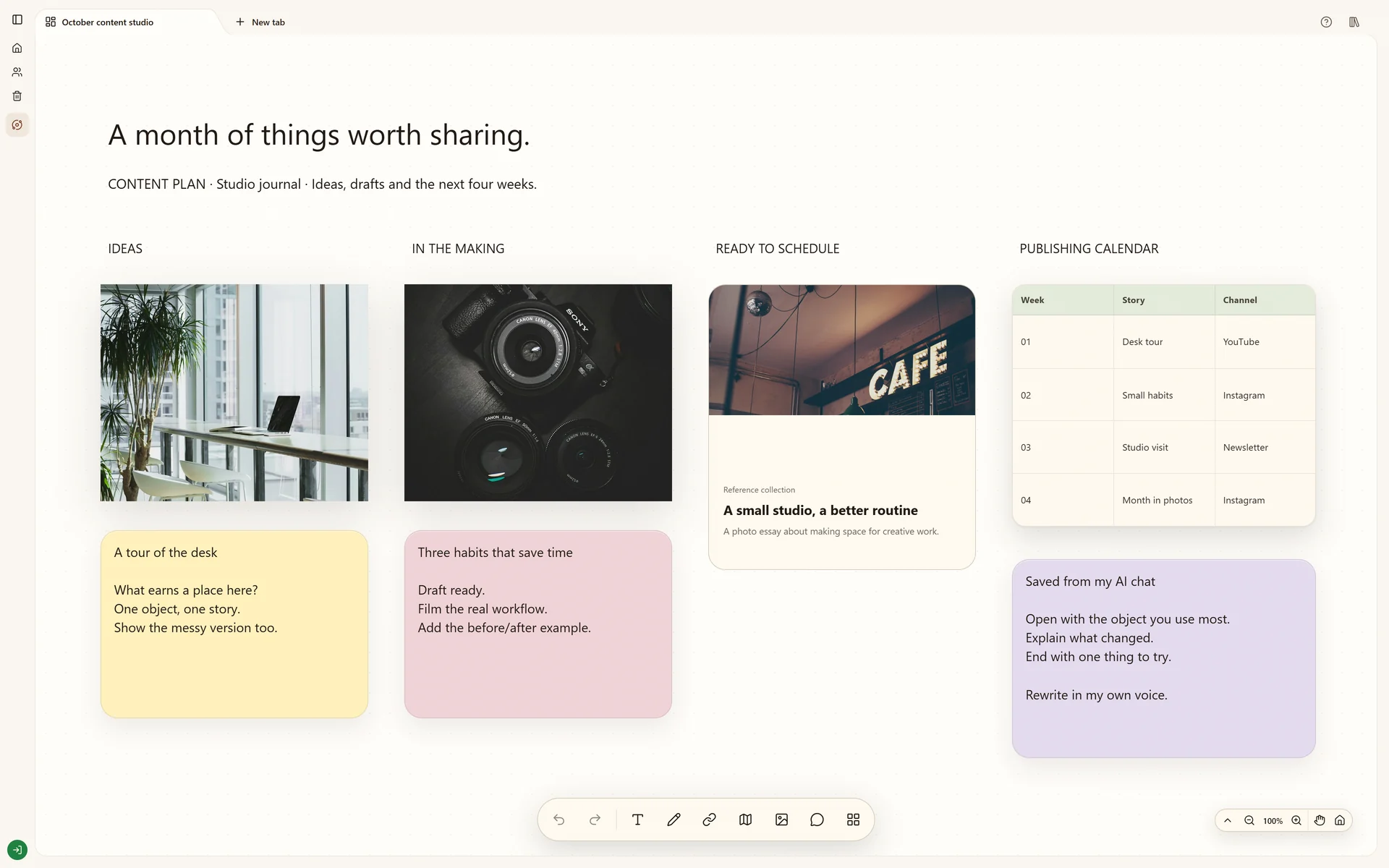
Organize content ideas, references and a publishing outline together in a visual workspace.
Content calendar: board exampleContent Calendar template questions, answered
What is a content calendar?
A content calendar is a schedule of everything you plan to publish over a period, usually a month, with the date, channel, format, topic, owner and status of each piece. It keeps publishing consistent and shows gaps and clashes before they happen.
Who is the Content Calendar template for?
Marketers, social media managers, small business owners, creators and content teams publishing on several channels, from a one-person shop to an agency managing a client.
How is a content calendar different from a social media strategy?
The strategy decides why, where and in what voice you publish. The calendar decides what goes out on which day. Use the Social Media Strategy template to set goals and pillars, then plan each month here.
Can I start from an empty content calendar?
Yes. When you use the template, leave Keep example content unchecked to get the same sections, tables and labels with the example writing cleared.
Can Stashiro AI fill the calendar for my month?
Yes, on paid plans. Ask the AI to plan next month's content and it applies this template, then rewrites the posts, themes and moments for your brand. You review every card on the board before applying.
Related templates
Film Plan templateFilmmakingConcept, script, schedule, locations, crew and budget for a whole production on one board.Music Video Plan templateFilmmakingThe song mapped section by section, with the concept, looks, locations, shot ideas, budget and shoot days.Storyboard templateStoryboardingScenes as rows of frames, each with its shot, action, dialogue and duration, plus timing and supers.Photoshoot Plan templatePhotographyBrief, moodboard, shot list, team, gear, schedule, location and usage for a photoshoot on one board.Video Script templateContent CreationA video written section by section in two columns, what we see and what we hear, from hook to call to action.YouTube Video Plan templateContent CreationIdea, titles, thumbnails, hook, outline, b-roll and publishing checklist for one video on one board.


